207N The Retouch Menu: Creating Retouched Copies
D-Lighting brightens shadows, making it ideal for dark or backlit photographs.
Press 4 or 2 to choose the amount of correction performed; the effect can be
previewed in the edit display.
Press J to copy the photograph.
❚❚ Portrait Subjects
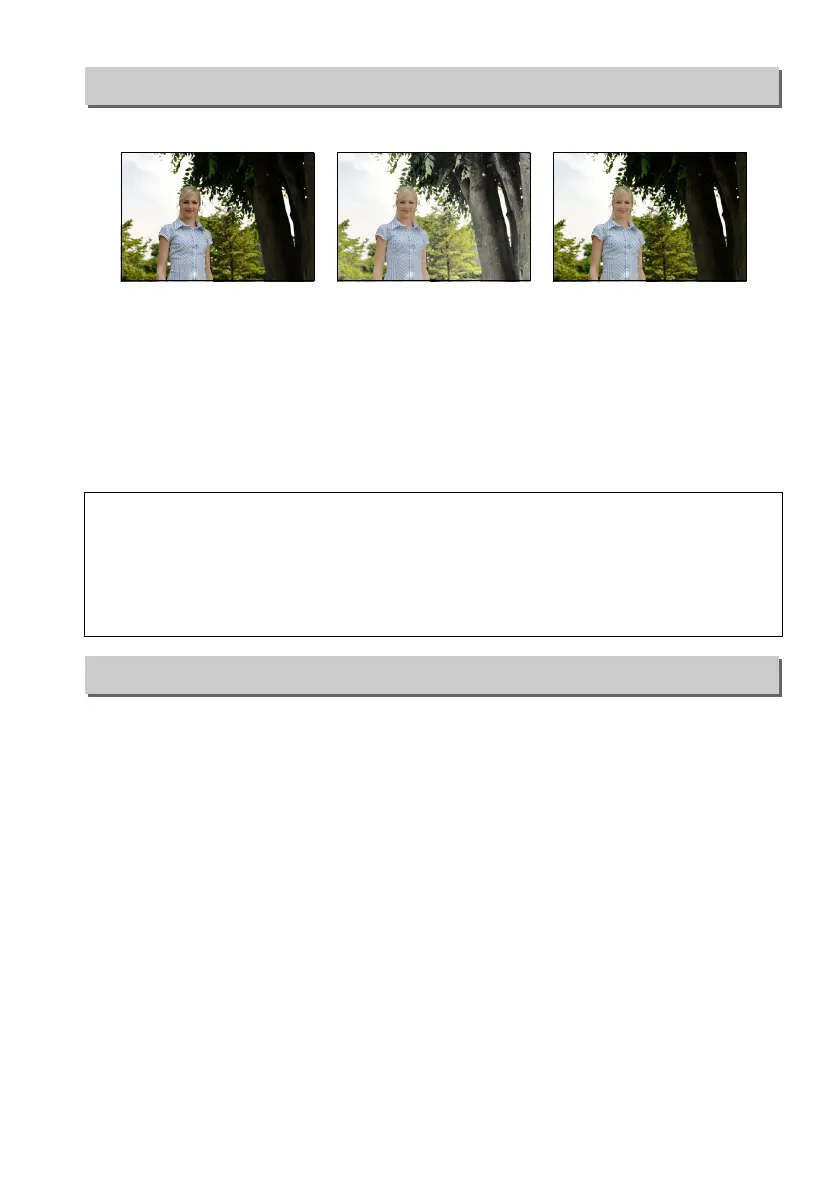
Select Portrait subjects to restrict D-Lighting to the area around the faces of portrait
subjects.
This option is used to correct “red-eye” caused by the flash, and is available only with
photographs taken using the flash.
The photograph selected for red-eye correction
can be previewed in the edit display.
Confirm the effects of red-eye correction and
press J to create a copy.
Note that red-eye correction may not always produce the
expected results and may in very rare circumstances be applied to portions of the
image that are not affected by red-eye; check the preview thoroughly before
proceeding.
D-Lighting
G button ➜ N retouch menu
Before D-Lighting D-Lighting
(portrait subject)
A Portrait Subjects
The camera automatically selects up to three subjects for portrait D-Lighting (note that
portrait D-Lighting can not be applied to photos taken with Off selected for Auto image
rotation in the setup menu; 0 202).
Depending on composition and how the subjects are
posed, the desired results may not be achieved; if you are not satisfied, remove the check
from Portrait subjects.
Red-Eye Correction
G button ➜ N retouch menu



 To Next Page
 Loading...













