7Introduction
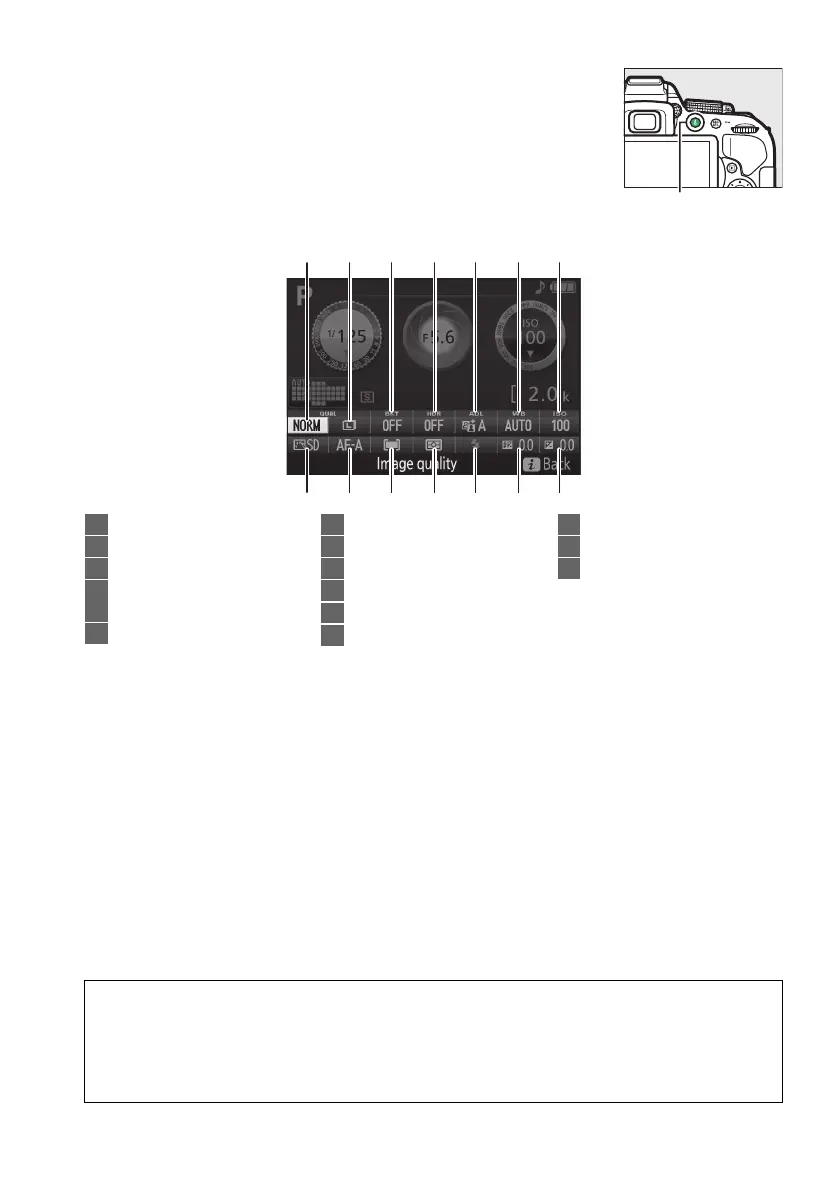
Changing settings: To change the settings at the bottom of the
display, press the P button, then highlight items using the multi
selector and press J to view options for the highlighted item.
P button
1
14
2
13
3
12
4
11
5
10
6
9
7
8
1 Image quality..........................59
2 Image size................................61
3 Auto bracketing .................. 109
4 HDR (High Dynamic
Range)...................................96
5 Active D-Lighting...................94
6 White balance ......................101
7 ISO sensitivity.........................67
8 Exposure compensation...... 92
9 Flash compensation ............. 93
10 Flash mode ...................... 63, 65
11 Metering.................................. 90
12 AF-area mode ................53, 120
13 Focus mode....................51, 119
14 Picture Control.....................111
A Turning the Monitor Off
To clear shooting information from the monitor, press the R button or press the shutter-
release button halfway.
The monitor will turn off automatically if no operations are
performed for about 8 seconds (for information on choosing how long the monitor stays on,
see Auto off timers on page 186).



 To Next Page
 Loading...













