17Introduction
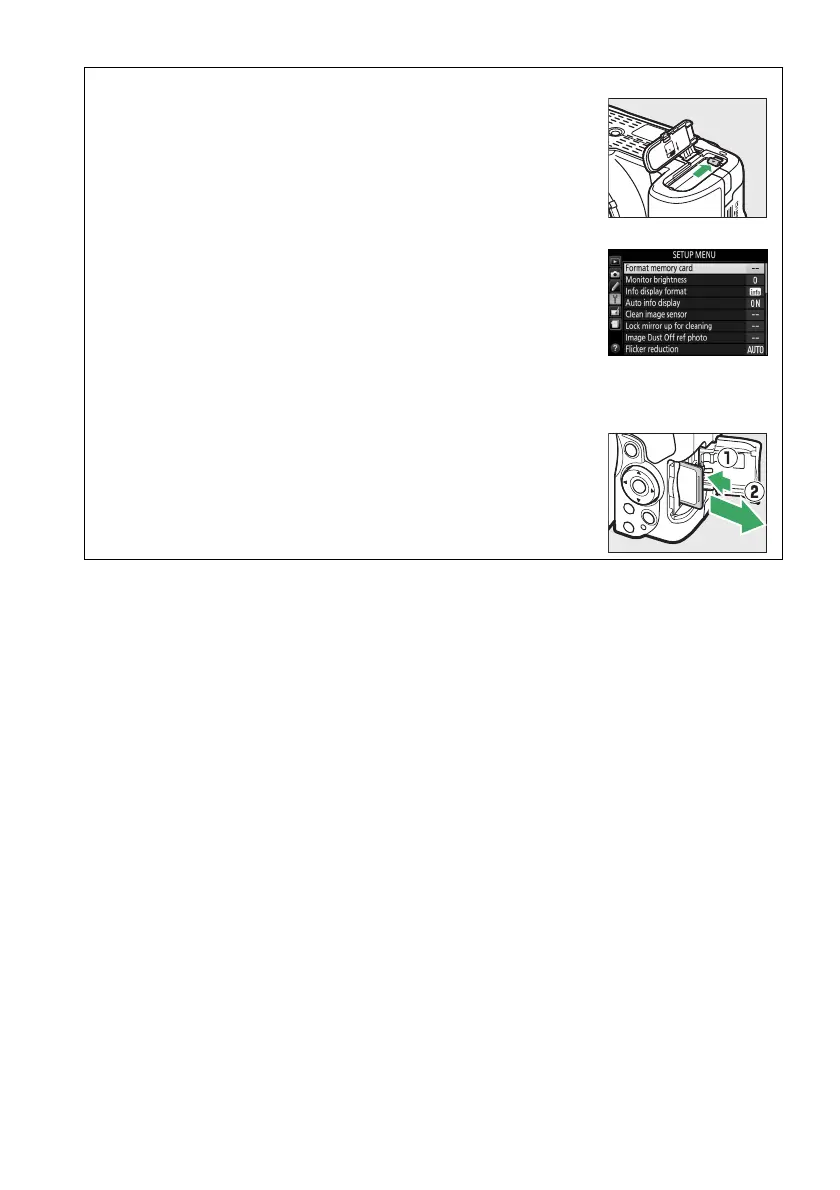
A Removing the Battery
To remove the battery, turn the camera off and open the battery-
chamber cover.
Press the battery latch in the direction shown by
the arrow to release the battery and then remove the battery by
hand.
A Formatting Memory Cards
If this is the first time the memory card will be used in the camera or
if the card has been formatted in another device, select Format
memory card in the setup menu and follow the on-screen
instructions to format the card (0 196).
Note that this permanently
deletes any data the card may contain.
Be sure to copy any
photographs and other data you wish to keep to a computer before
proceeding.
A Removing Memory Cards
After confirming that the memory card access lamp is off, turn the
camera off, open the memory card slot cover, and press the card
in to eject it (q).
The card can then be removed by hand (w).



 To Next Page
 Loading...













