120 P, S, A, and M Modes
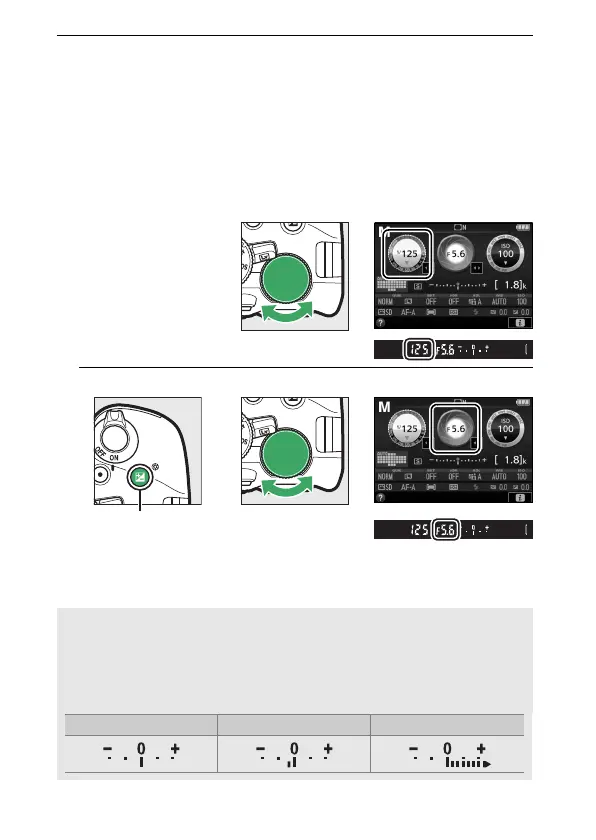
2 Choose aperture and shutter speed.
Checking the exposure indicator (see below), adjust shutter
speed and aperture.
Shutter speed is selected by rotating the
command dial (right for faster speeds, left for slower).
To
adjust aperture, keep the E (N) button pressed while
rotating the command dial (left for larger apertures/lower
f-numbers and right for smaller apertures/higher f-numbers).
Shutter speed
Command dial
Aperture
E (N) button Command dial
A The Exposure Indicator
If a CPU lens is attached (0 314) and a shutter speed other than “Bulb”
or “Time” is selected, the exposure indicator in the viewfinder and
information display shows whether the photograph would be under-
or over-exposed at current settings.
Optimal exposure Underexposed by
1
/3 EV Overexposed by over 2 EV



 To Next Page
 Loading...












