226 Wi-Fi
WPS (Android Only)
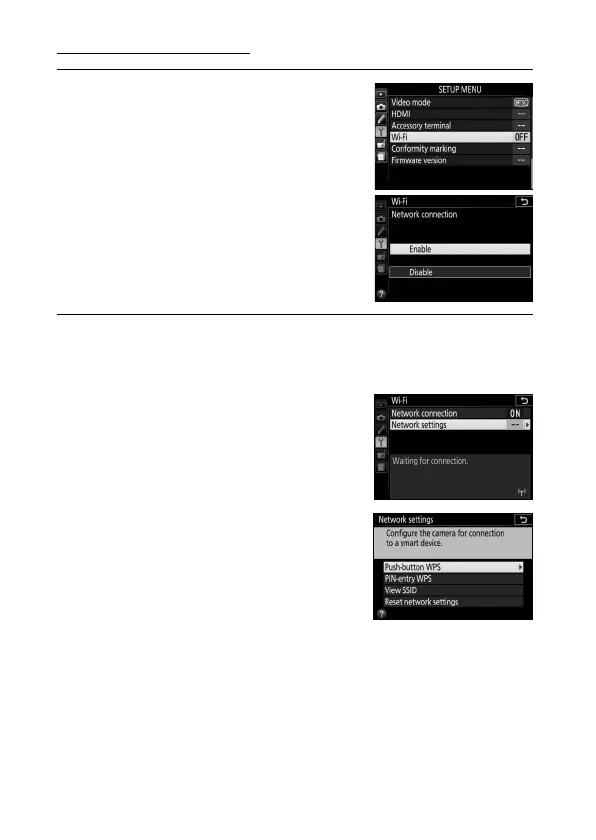
1 Enable the camera’s built-in Wi-Fi.
Highlight Wi-Fi in the setup menu and
press 2.
Highlight Network
connection and press 2, then
highlight Enable and press J.
Wait a
few seconds for Wi-Fi to activate.
2 Connect.
Enable WPS button connections on the camera and smart
device:
• Camera: Highlight Network settings
and press 2.
Highlight Push-button WPS and
press 2 to ready the camera for a
WPS connection.
The camera will
wait about two minutes for a WPS
connection request from the smart
device.
To extend the wait time,
press J.
• Smart device: Select Wi-Fi settings > WPS button
connection.



 To Next Page
 Loading...












