6 Introduction
The Monitor
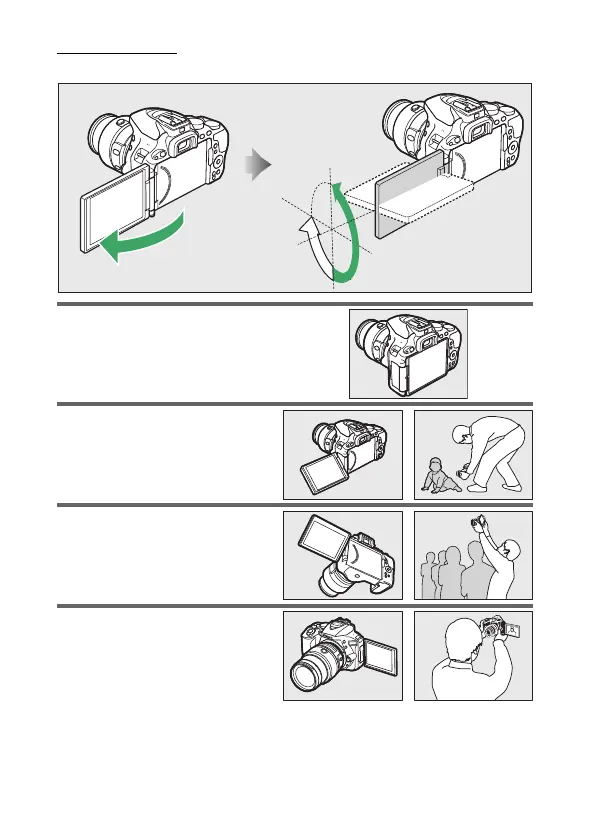
The monitor can be angled and rotated as shown below.
Normal use: Fold the monitor
against the camera face out.
The
monitor is normally used in this
position.
Low-angle shots: Tilt the monitor
up to take shots in live view with
the camera held low.
High-angle shots: Tilt the monitor
down to take shots in live view
with the camera held high.
Self-portraits: Use for self-portraits
in live view.
The monitor shows
a mirror image of what will
appear in the final picture.
90°
180°
180°



 To Next Page
 Loading...












