135P, S, A, and M Modes
High Dynamic Range (HDR)
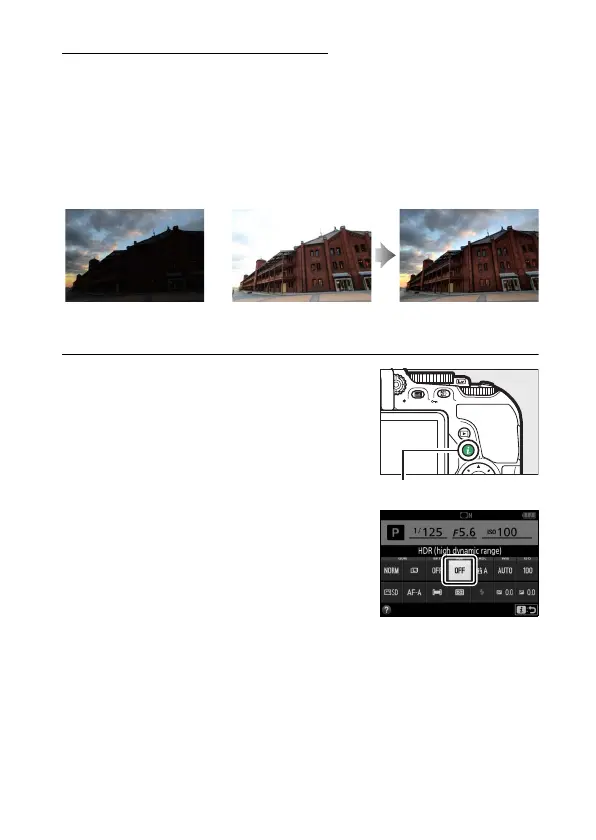
High Dynamic Range (HDR) combines two exposures to form a
single image that captures a wide range of tones from shadows
to highlights, even with high-contrast subjects.
HDR is most
effective when used with L (Matrix metering) (0 125).
It can
not be used to record NEF (RAW) images.
While HDR is in effect,
the flash can not be used and continuous shooting is not
available.
1 Display HDR (high dynamic range)
options.
Press the P button, then highlight
HDR (high dynamic range) in the
information display and press J.
First exposure (darker) Second exposure
(brighter)
Combined HDR image
P button
Information display



 To Next Page
 Loading...












