49“Point-and-Shoot” Modes (i and j)
Deleting Unwanted Pictures
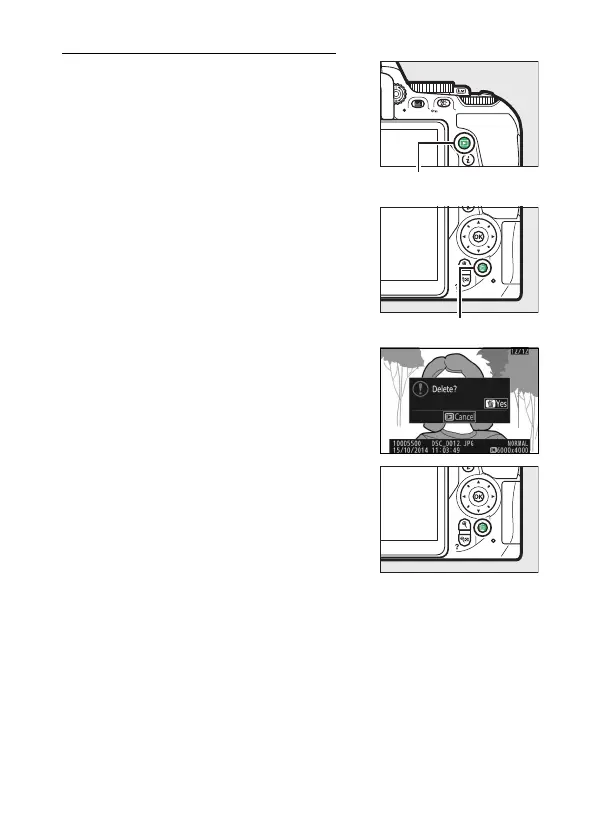
Display the photograph you wish to
delete.
Note that photographs can not be
recovered once deleted.
Press O; a confirmation dialog will be
displayed.
Press the O button again to delete the
picture.



 To Next Page
 Loading...












