EasyManua.ls Logo

Nikon D700 - Page 499

Nikon D700
533 pages
Print Icon
To Next Page IconTo Next Page
To Previous Page IconTo Previous Page
Loading...
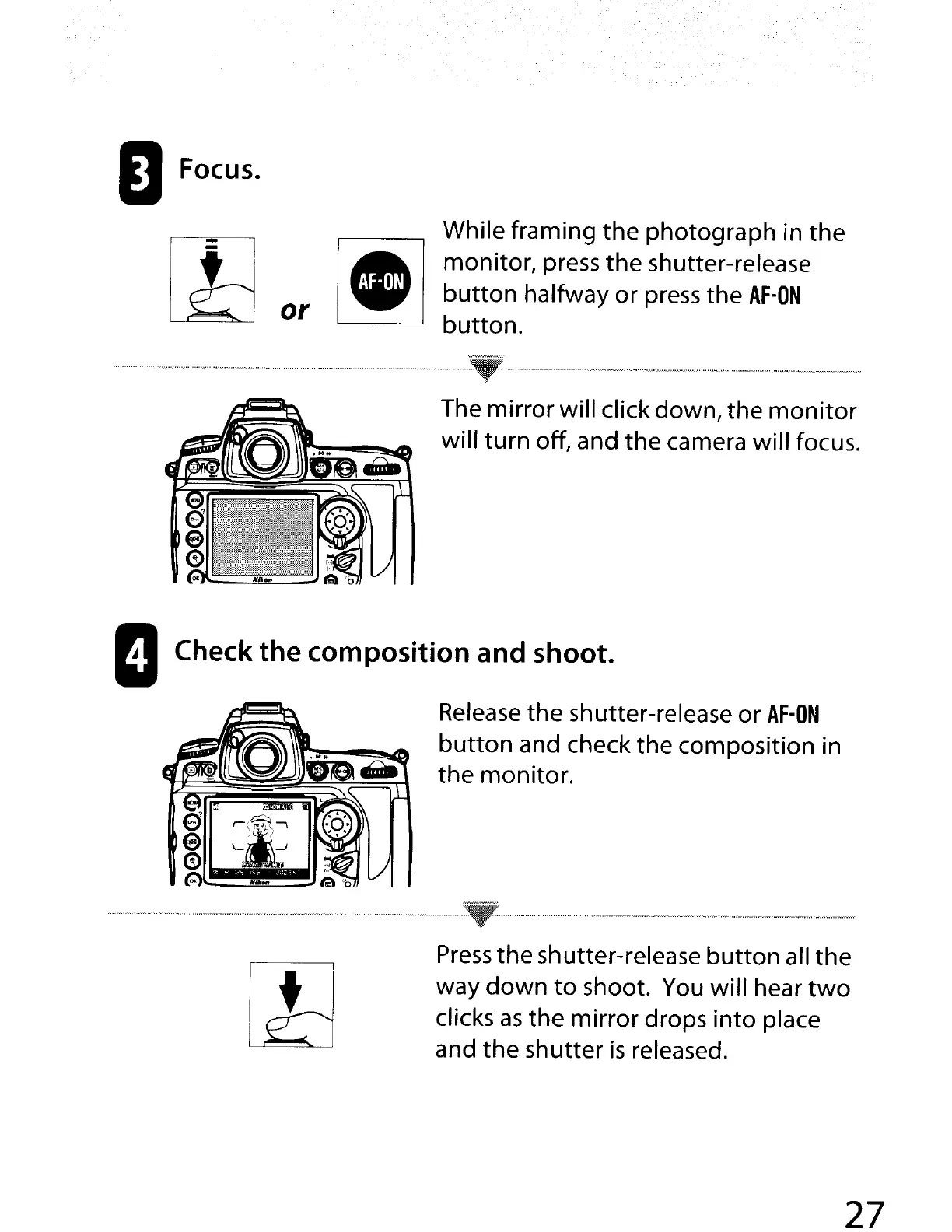
oFocus.
While framing
the
photograph
in
the
I_I
monitor,
press
the
shutter-release
button
halfway
or
press
the
AF-ON
or
button
.
•••
••••••••
"_,,
•••••••••••
•.••
..-
".·····
WN
••
"
•••••
..
..
"'
"
••
"
..:..~:."
.........
_N"
•••
..
•••
_
..
••••
__
..
••
_ _ "
..
__
__
.
The
mirror
will click down,
the
monitor
will
turn
off, and
the
camera
will
focus.
IICheck
the
composition
and
shoot.
Release
the
shutter-release
or
AF-ON
button
and check
the
composition in
the
monitor
.
............................" " "
..-
" _
..
_
_~
_ " _ _ -
_._
_
-_
.
Press
the
shutter-release
button
all
the
way
down
to
shoot. You will hear
two
clicks
as
the
mirror
drops
into
place
and
the
shutter
is
released.
27

Table of Contents

Other manuals for Nikon D700

Related product manuals