EasyManua.ls Logo

Nikon D700 - Page 500

Nikon D700
533 pages
Print Icon
To Next Page IconTo Next Page
To Previous Page IconTo Previous Page
Loading...
Live View
~
Tripod
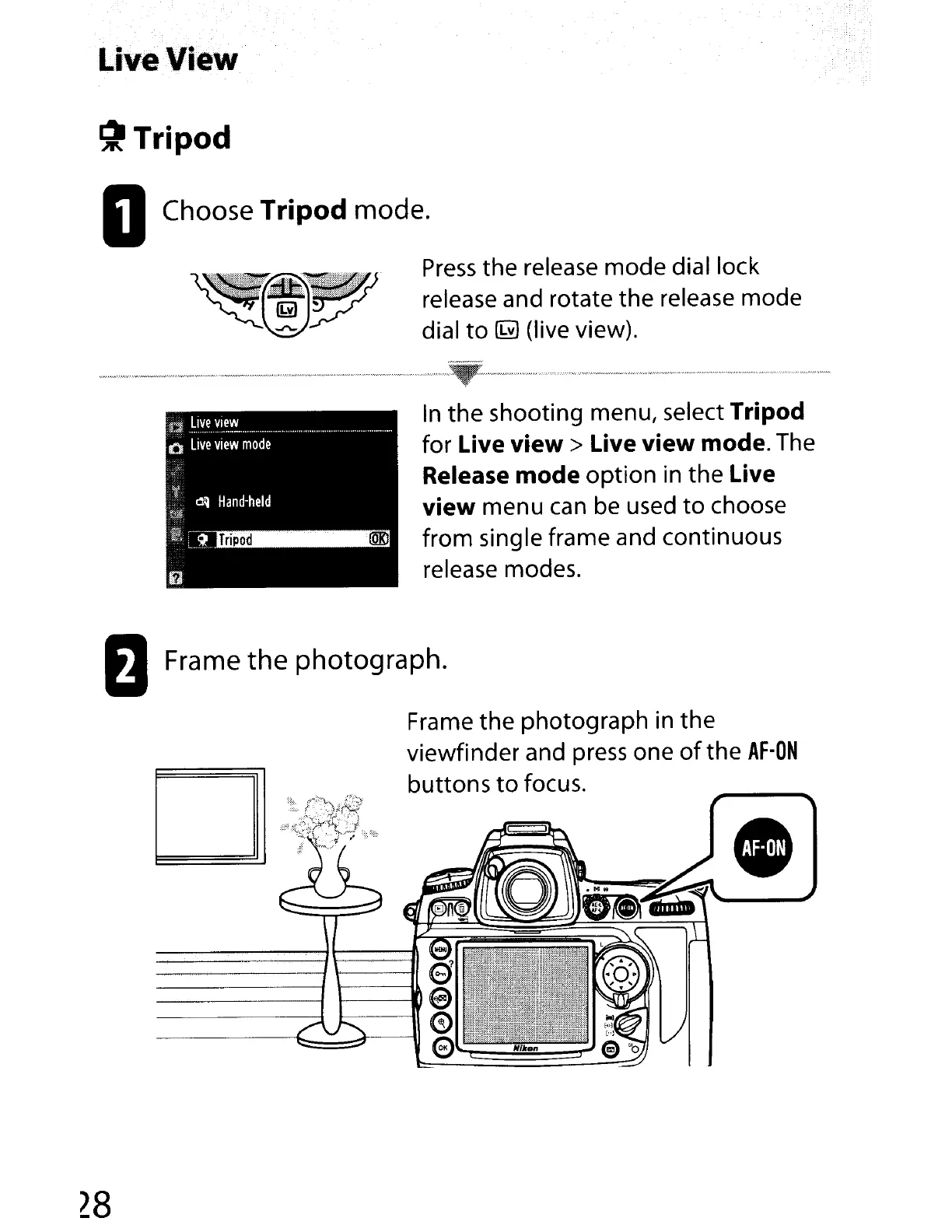
DChoose Tripod mode.
Press
the release mode dial lock
release and rotate the release mode
dial
to
~
(live view).
't
~~
Hand-held
Tripod
@Kl
[J
.~.ly~VI~"'!.......
.
o
Live
view
mode
."
..
_.w.w
__
·.·,·
_
".·
..
""
_"
_ _
..
_,,,
_
_._.w
~~
w·.,_
·."·N·.·.·
·.··
·.·_,
,".w
•.
·.···· ,
•••
" "
•.••
" , _ .
In
the
shooting menu, select Tripod
for Live
view>
Live view mode. The
Release mode
option
in the Live
view
menu
can
be used
to
choose
from single frame and continuous
release modes.
oFrame
the
photograph.
Frame
the
photograph in the
viewfinder and press one
of
the
AF-ON
buttons
to
focus.
28

Table of Contents

Other manuals for Nikon D700

Related product manuals