EasyManua.ls Logo

Nikon D700 - Page 76

Nikon D700
533 pages
Print Icon
To Next Page IconTo Next Page
To Previous Page IconTo Previous Page
Loading...
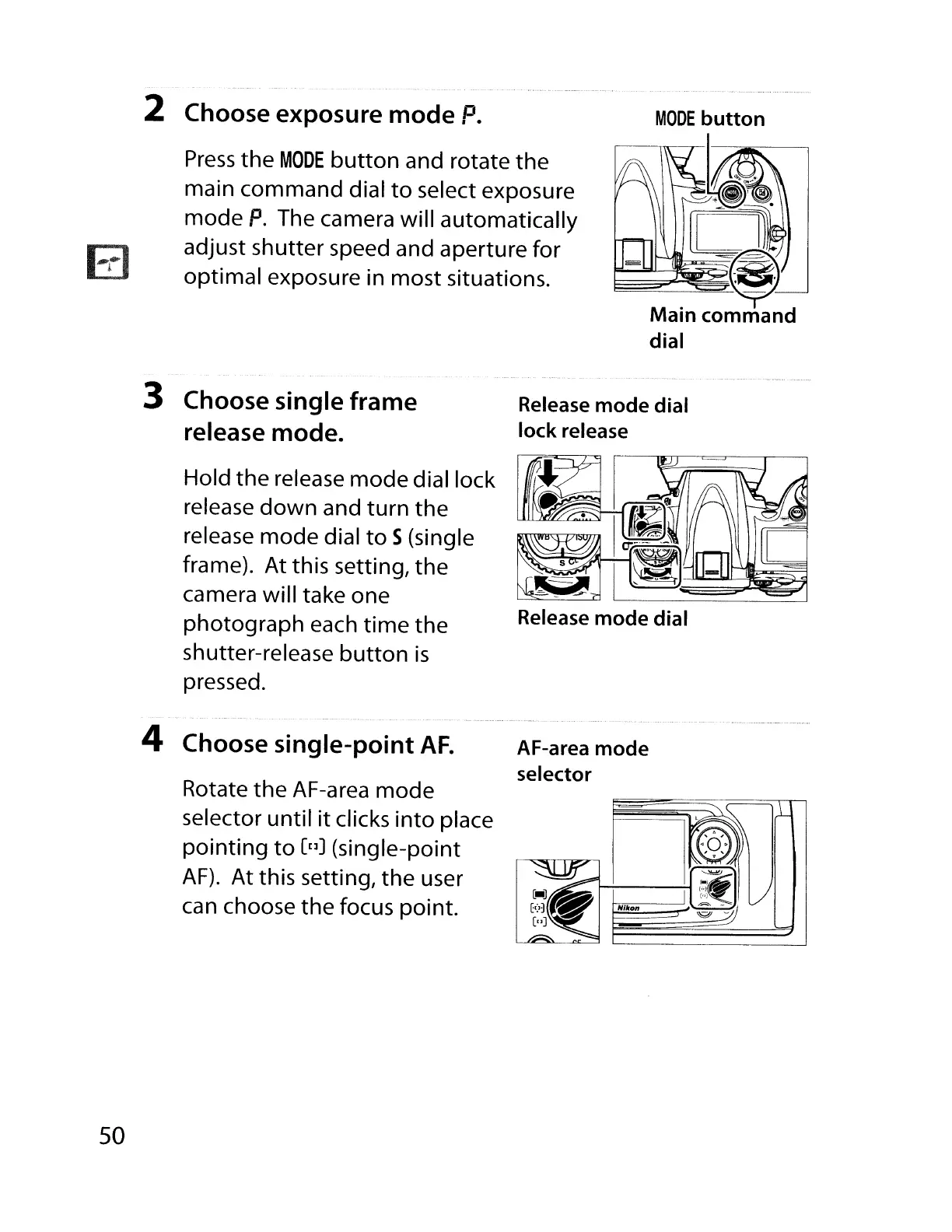
2 Choose exposure
mode
P.
Press
the
MODE
button
and rotate
the
main command dial
to
select exposure
mode
P.
The camera will automatically
adjust shutter speed and aperture for
optimal exposure in most situations.
3 Choose single
frame
release mode.
Hold
the
release
mode
dial lock
release
down
and
turn
the
release mode dial
to
S(single
frame). At this setting,
the
camera will take one
photograph each
time
the
shutter-release
button
is
pressed.
Release
mode
dial
lock
release
Release
mode
dial
50
4 Choose
single-point
AF.
AF-area
mode
selector
Rotate
the
AF-area
mode
selector until
it
clicks
into
place
pointing
to
[[]J
(single-point
AF).
At this setting,
the
user
can choose the focus point.
~NI~kon§~~~dJ

Table of Contents

Other manuals for Nikon D700

Related product manuals