EasyManua.ls Logo

Nikon D700 - Page 88

Nikon D700
533 pages
Print Icon
To Next Page IconTo Next Page
To Previous Page IconTo Previous Page
Loading...
62
II
The
Fn
Button
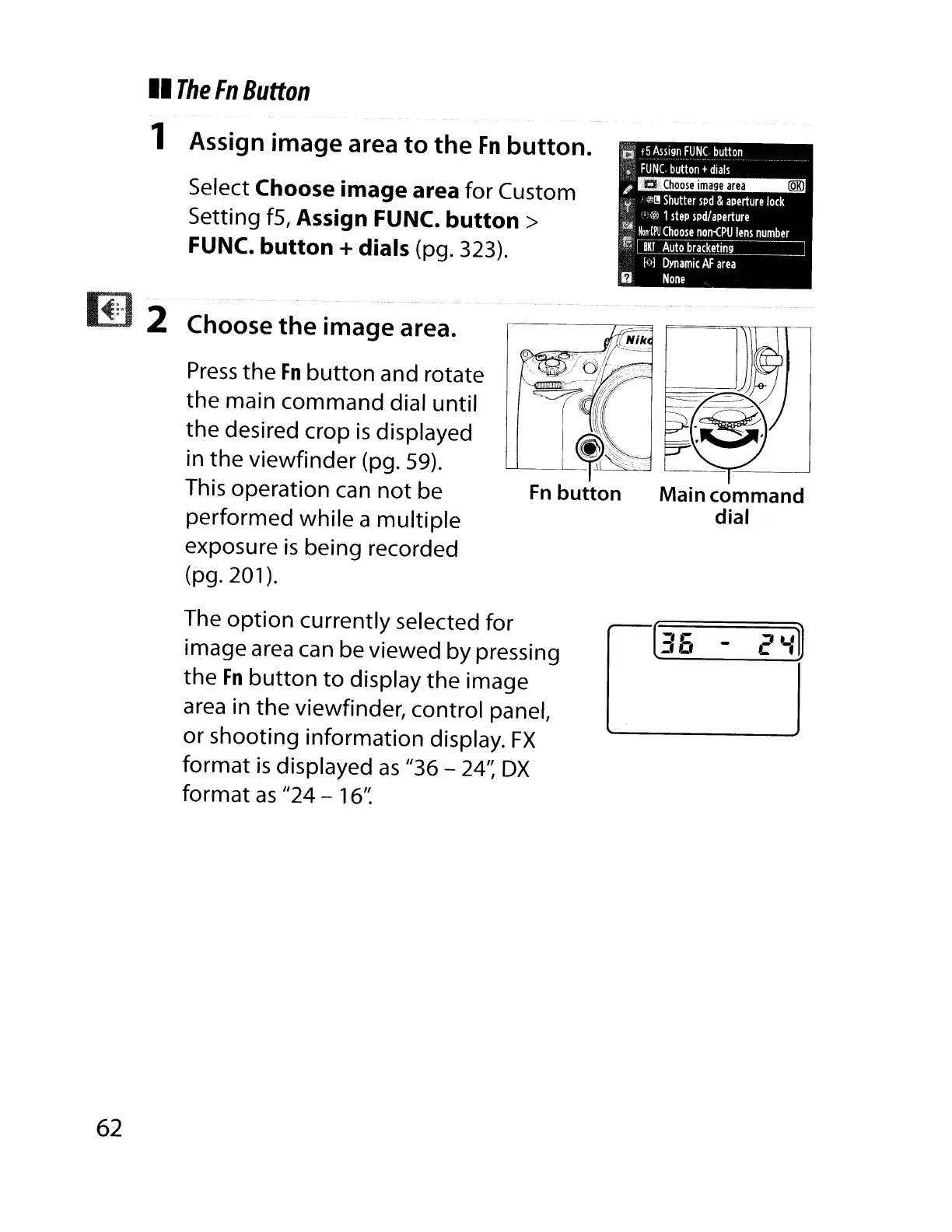
1 Assign image area
to
the
Fn
button.
Select Choose image area for Custom
Setting f5, Assign FUNC.
button>
FUNC. button + dials (pg. 323).
Choose the image area.
Press
the
Fn
button
and rotate
the
main command dial until
the desired crop
is
displayed
in
the
viewfinder (pg. 59).
This operation
can
not
be
performed while a
multiple
exposure
is
being recorded
(pg. 201).
The
option
currently selected for
image
area
can be viewed by pressing
the
Fn
button
to
display
the
image
area
in the viewfinder, control panel,
or shooting information display.
FX
format
is
displayed
as
"36 - 24':
DX
format
as
"24 - 16':

Table of Contents

Other manuals for Nikon D700

Related product manuals