IV Microscopy (Detailed Procedure)
25
IV
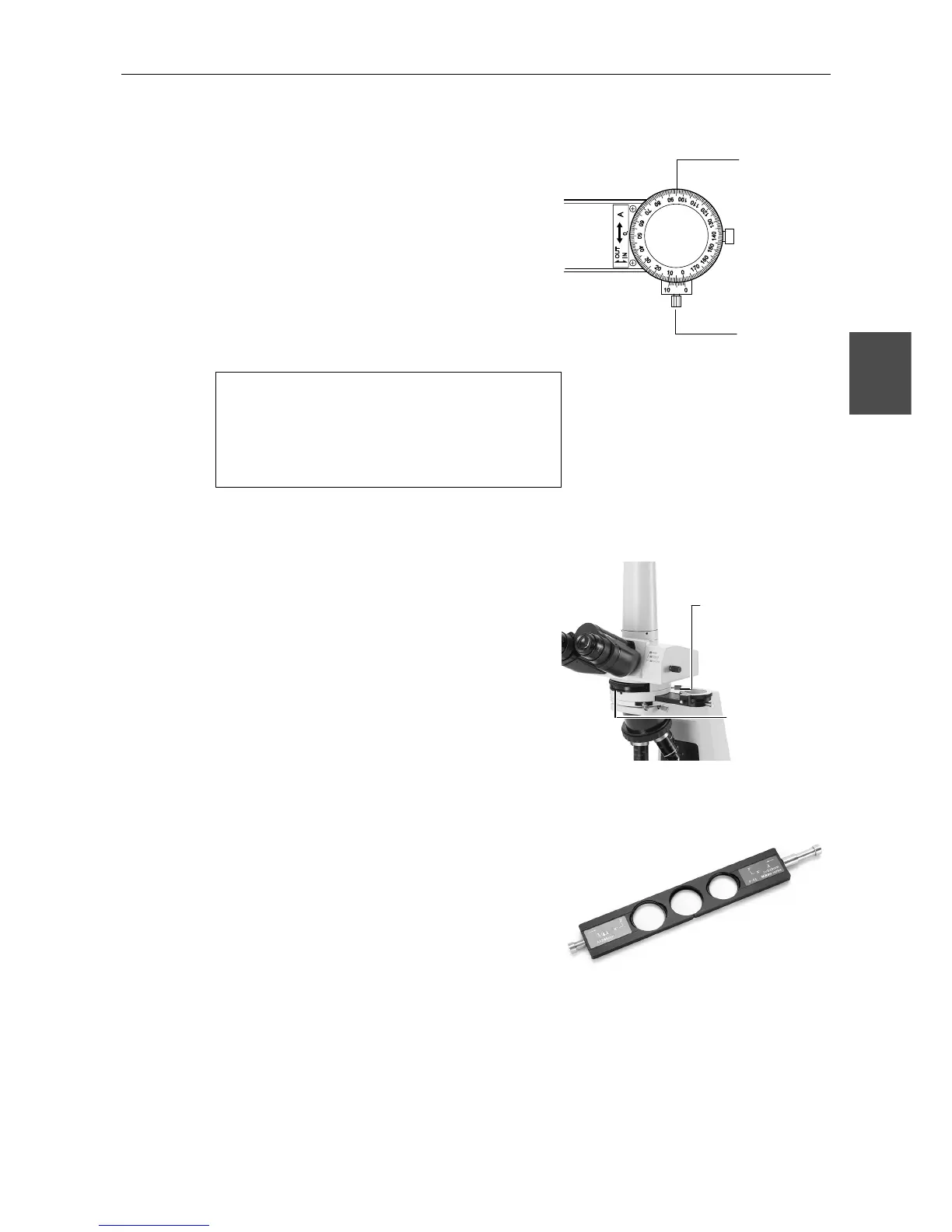
The analyzer can be rotated by first loosening the
analyzer clamp screw and then turning the rotation
ring . The angle of rotation can be read to 0.1
degrees over a range of 0-360 degrees with the
vernier.
The analyzer can be moved out of the optical path
by pushing in the analyzer slider to the left .
Although the analyzer is designed, as a standard,
to be inserted from the right relative to the
intermediate tube, it can also be inserted from the
left. In this case, it may be somewhat difficult to
read the angle of rotation since the readings on the
scale, etc. are backward.
Since the intermediate tube contains a
built-in depolarizer, it is not necessary
to be concerned about the relationship
between the orientation of the
polarizing plate and photomicrographic
devices.
Focusing and Centering the Bertrand Lens
12
When changing the objectives, turn the Bertrand
lens focus ring under the Bertrand lens turret of the
intermediate tube and focus the Bertrand lens.
Centering the Bertrand lens is performed with two
centering screws. Center the condenser aperture
diaphragm image with the centering screws.
13
P-CL 1/4λ & tint Plate
The P-CL 1/4λ & tint plate has a hole in the center.
By pushing it into the slot, the sensitive tint plate
(530 nm) is brought into the optical path. Pulling it
out brings the 1/4λ plate into the optical path. This
plate is used for recognition of very weak
birefringence and the determination of X’ and Y’ of
the specimen.
Rotation rin








 To Next Page