Nikon N Series/K Series Total Station Instruction Manual 95
Applications 4
Sample records
SS, 58, 0.0000, 48.3304, 169.19165, 82.02470, 10:52:37, FLOOR2
CO, PT1, 1.0080, 48.3020,169.19165, 83.58565
CO, PT2, 1.0080, 48.3155,128.54250, 85.42440
CO, O/S MSR:40 0.0000 0.0000 169.20370 87.02340
Measuring circle offsets
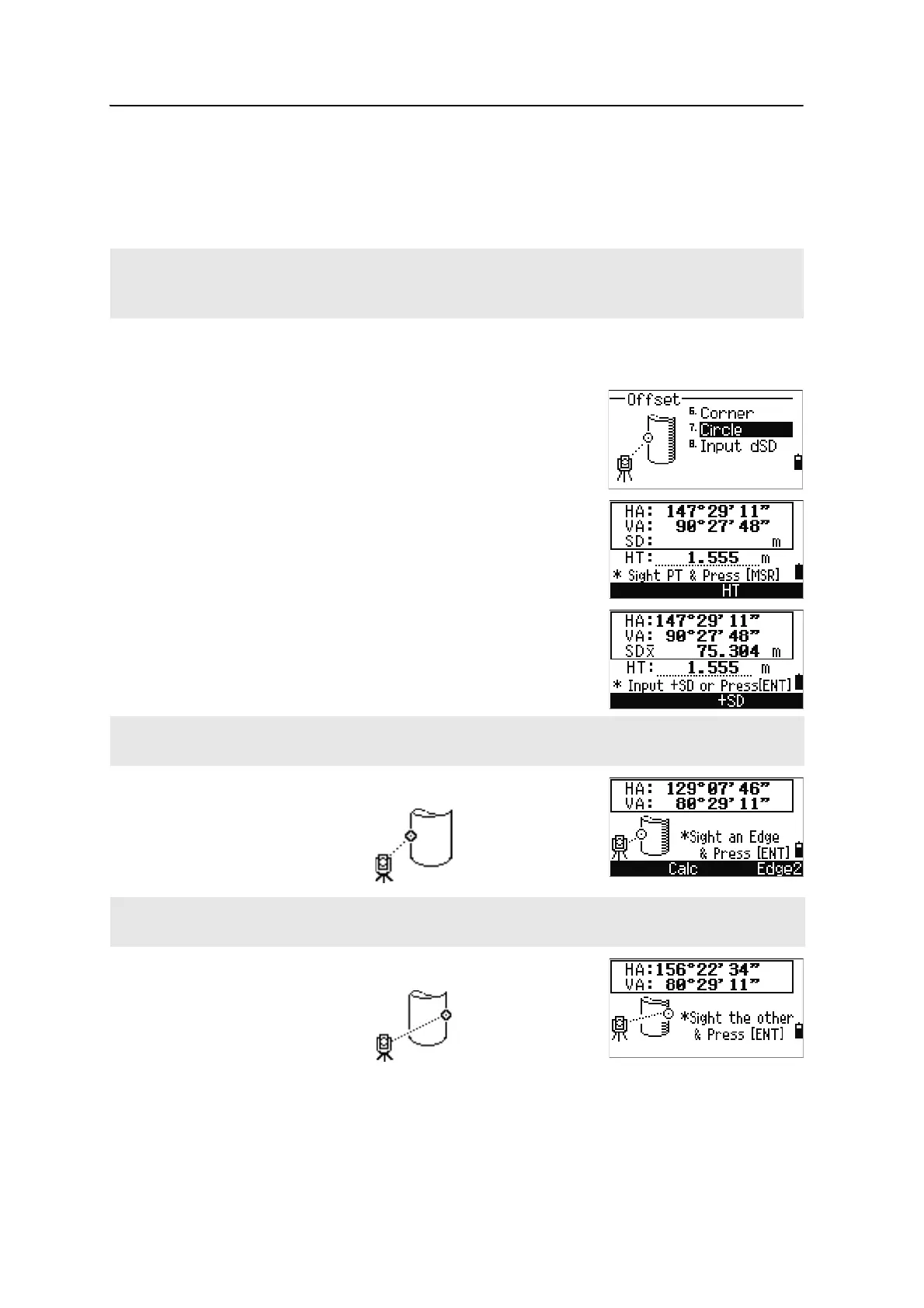
1. To enter the circle center calculation function,
press
[7] or select Circle in the Offset menu.
If you have not taken a measurement to the
circle before entering this function, a temporary
measurement screen appears.
2. Sight any point on the surface of the circle and
press
[MSR1] or [MSR2].
3. Sight one edge of the circle and press
[ENT].
4. Sight the other edge of the circle and press
[ENT].
The instrument calculates and records the center of the circle.
The calculated corner point is stored as an SS record.
The next three or four comment records are measured points. For example:
CO, Point name (fixed to PT1, PT2 etc.), HT, SD, HA, VA.
If you use a prism attached to the surface of the circle for the distance measurement, press the +SD softkey to
eliminate the offset error (from the attached point to the measured surface of the prism) before you press [ENT].
If you have taken a distance measurement to the center of the circle, press the Calc softkey to calculate the
offset using one edge angle observation.












 To Next Page