Nikon N Series/K Series Total Station Instruction Manual 101
Menu Key 5
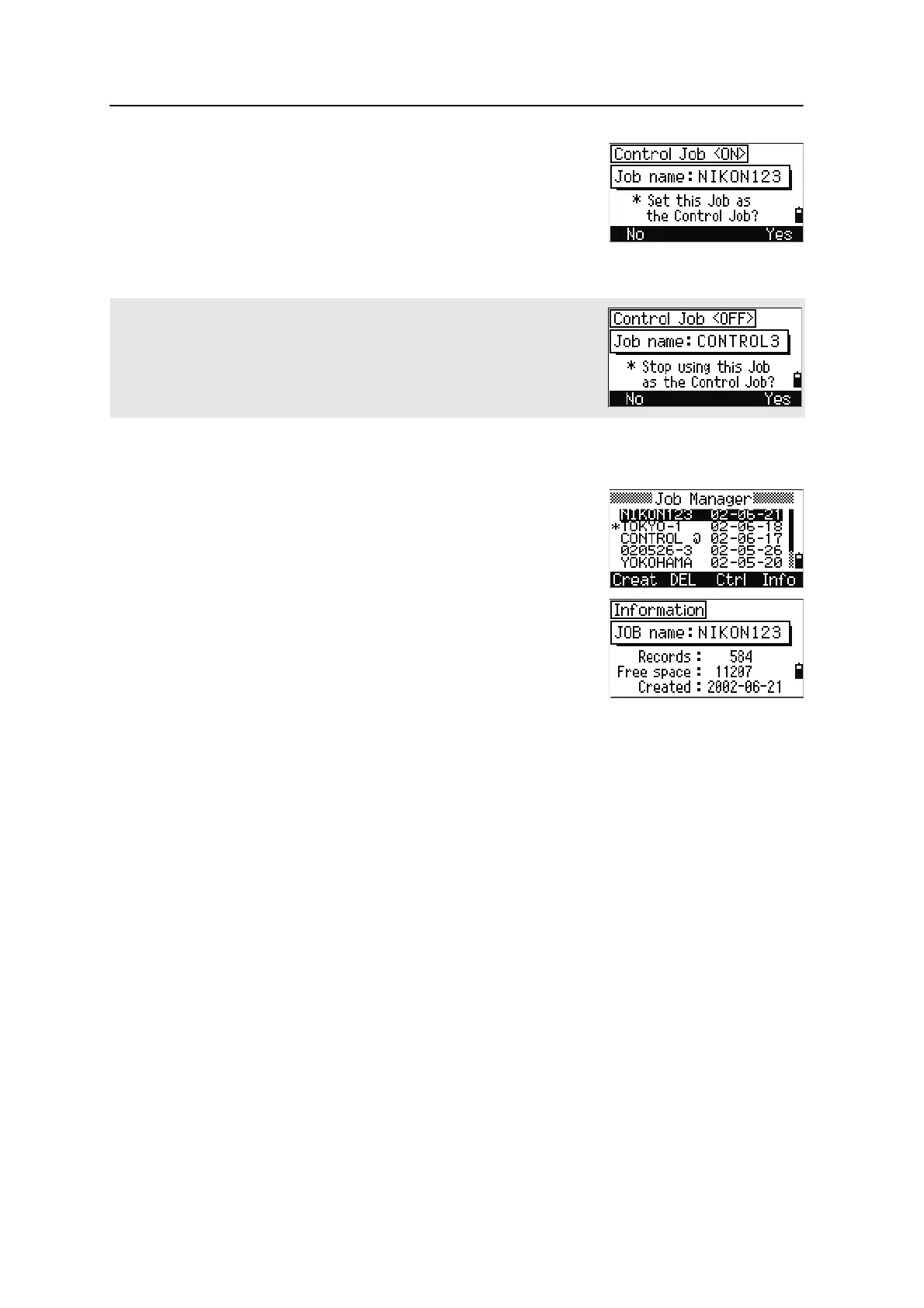
A confirmation screen appears.
3. Do one of the following:
– To set the selected job as the control job,
press
[ENT] or the Yes softkey.
– To cancel the process, press [ESC] or the No
softkey.
Displaying job Information
To display job information, highlight the job name and
then press the
Info softkey.
The Information screen shows the number of records in
the job, the free space, and the date when the job was
created. Free space indicates how many points can be
stored in the job.
To return to the job list, press any key.
If a control job is already assigned, the newly assigned control job replaces it
as the control job.
To clear the control job selected, highlight the current control job in the job list
and press the Ctrl softkey. Then press [ENT] or the Yes softkey to confirm.












 To Next Page