5 Menu Key
122 Nikon N Series/K Series Total Station Instruction Manual
B
Tip – To provide easier configuration for common regional settings, you can quickly configure
the Nikon total station to a pre-set combination of default regional settings. For more
information, see Changing Regional Configuration Pre-sets, page 26.
B
Tip – The Nikon total station supports up to 9 languages on the instrument. For more
information on changing the language settings, see page 25.
Data
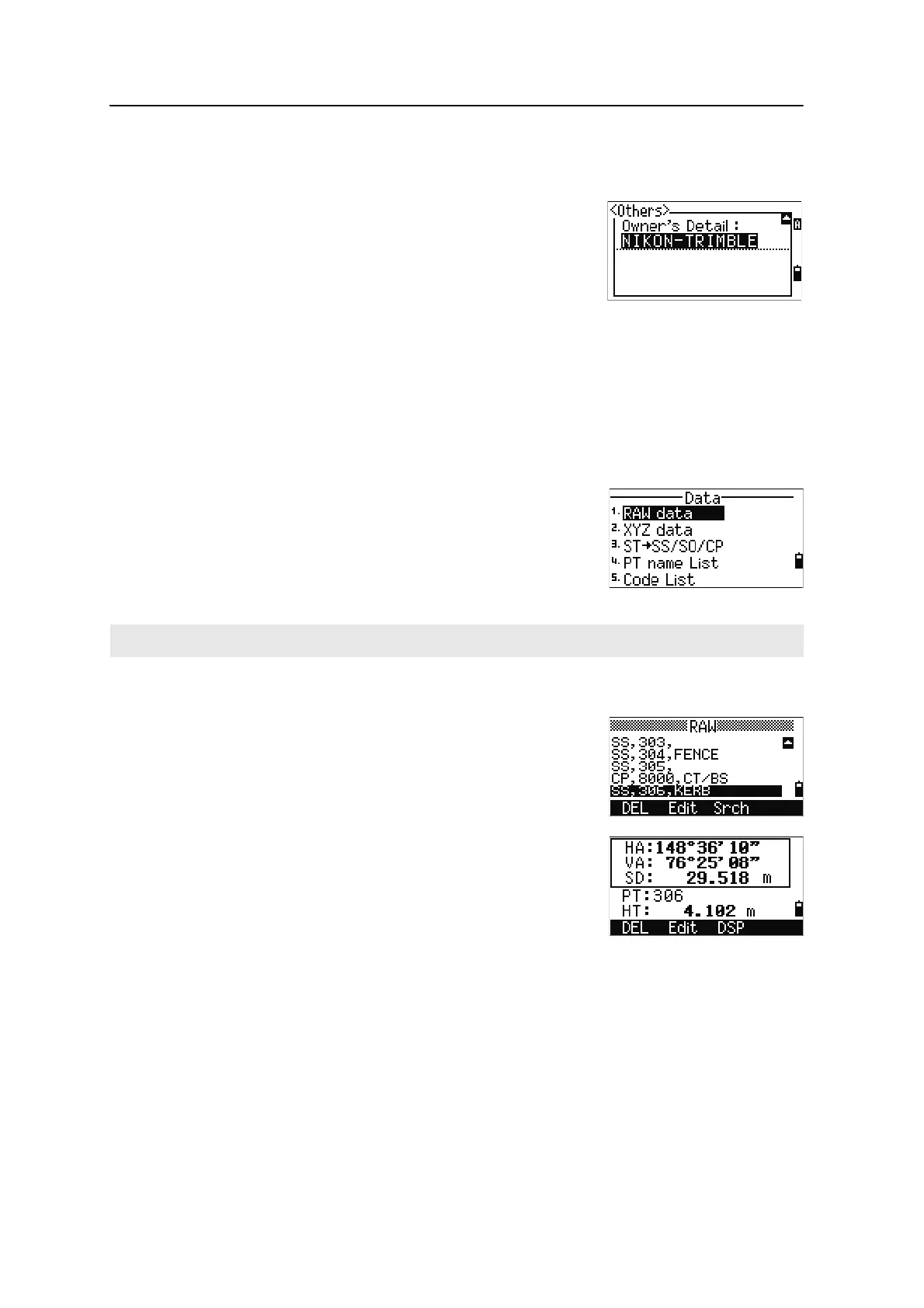
Use the Data menu to view or edit records. To display
the Data menu, press
[4] on the MENU screen.
Viewing records
Viewing raw data
To show the raw data records in a list, press
[1] on the
Data menu screen.
When you first view the raw data, the last four raw
records in the current job are displayed. Use
[^] or [v] to
scroll through the records.
To see detailed information for the selected records,
press
[ENT].
To return to the record list, press
[ESC].
SS, CP, F1, F2 records
Raw SS, CP, F1, and F2 records contain PT, HT, CD, HA, VA, and SD fields.
SS records are sideshots (topo shots). All shots from the Basic Measurement Screen
(BMS) are stored as SS records.
CD Input ABC/123
Sets the default input mode when a CD field
appears.
Owner’s Detail Up to 20 characters.
Enter your name or the name of your
company. If you enter a value in this field, it
appears at start-up.
You can view data at any time, even in an observation screen or while entering points.












 To Next Page