Nikon N Series/K Series Total Station Instruction Manual 39
Getting Started 3
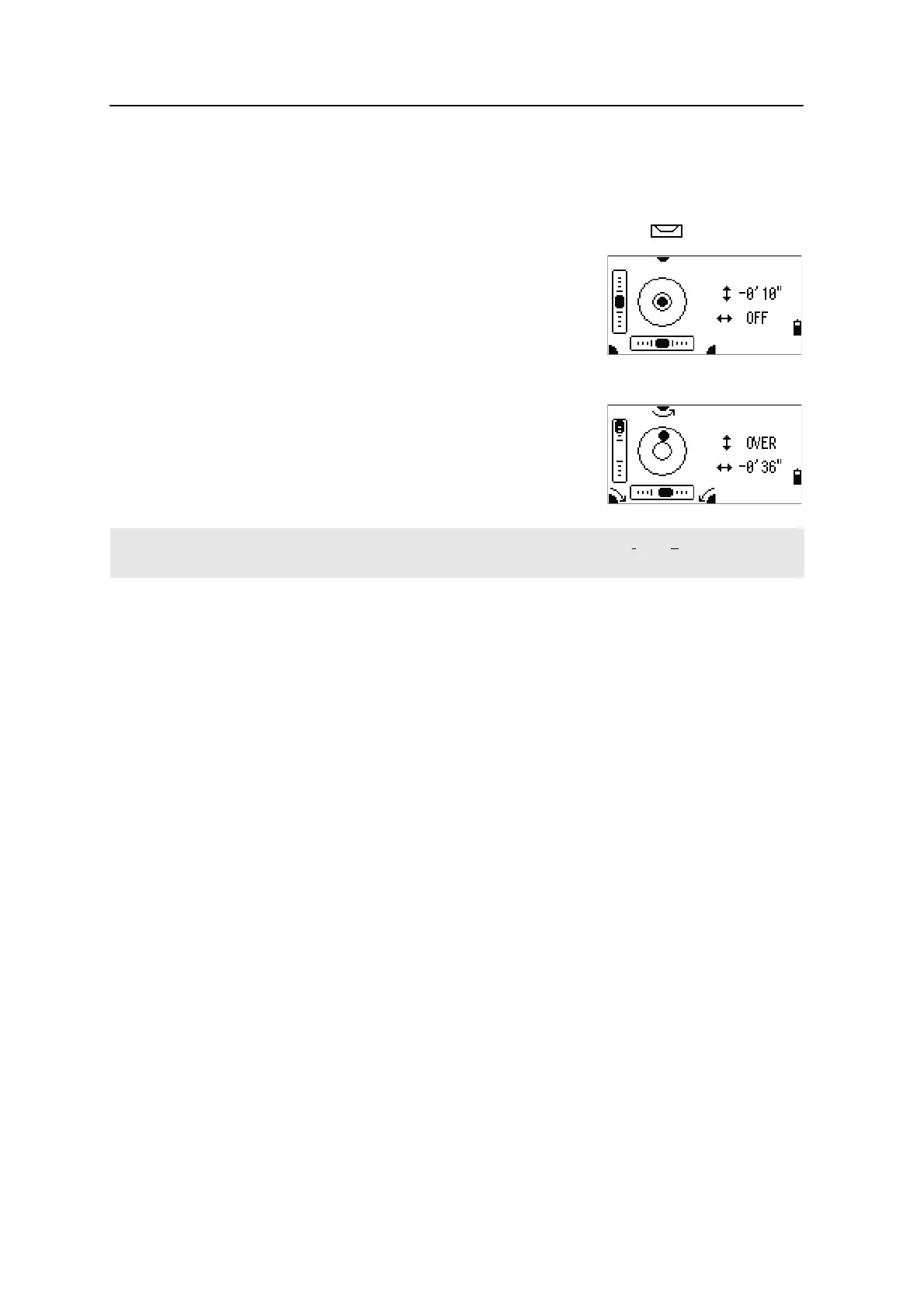
Bubble indicator
The bubble indicator is automatically displayed if the instrument goes out of level
while the compensators are turned on.
To display the bubble indicator in an observation screen, press .
The N Series/K Series has two-axis level
compensation.
To turn the leveling compensators on or off, press
[<] or
[>].
When the leveling compensators are turned off, the text
OFF appears on the screen.
If the instrument is more than ±3'30" out of level, the
text OVER appears on the screen.
To return to the observation screen, p
ress [ESC] or [ENT].
[USR] keys
If you use a function frequently in the field, you can assign it to the [USR1] or [USR2] key.
Whenever you press a
[USR] key, the function that is assigned to that key is activated
directly.
The following functions can be assigned to the
[USR] keys:
• Input HT
• BS Check
• Base XYZ
• Default PT
• Select Target
• Input Temp-Press
• Input Note
• The following menus, or a single function from one of these menus:
– Cogo
– O/S
– PRG
By default, Input HT is assigned to
[USR1], and no function is assigned to [USR2].
The current setting of leveling compensators is indicated by header characters (:, #, :, and #) after field labels
(such as HA, VA, SD, and HD) in observation screens. For more information, see Header characters, page 34.












 To Next Page