3 Getting Started
28 Nikon N Series/K Series Total Station Instruction Manual
Display and Key Functions
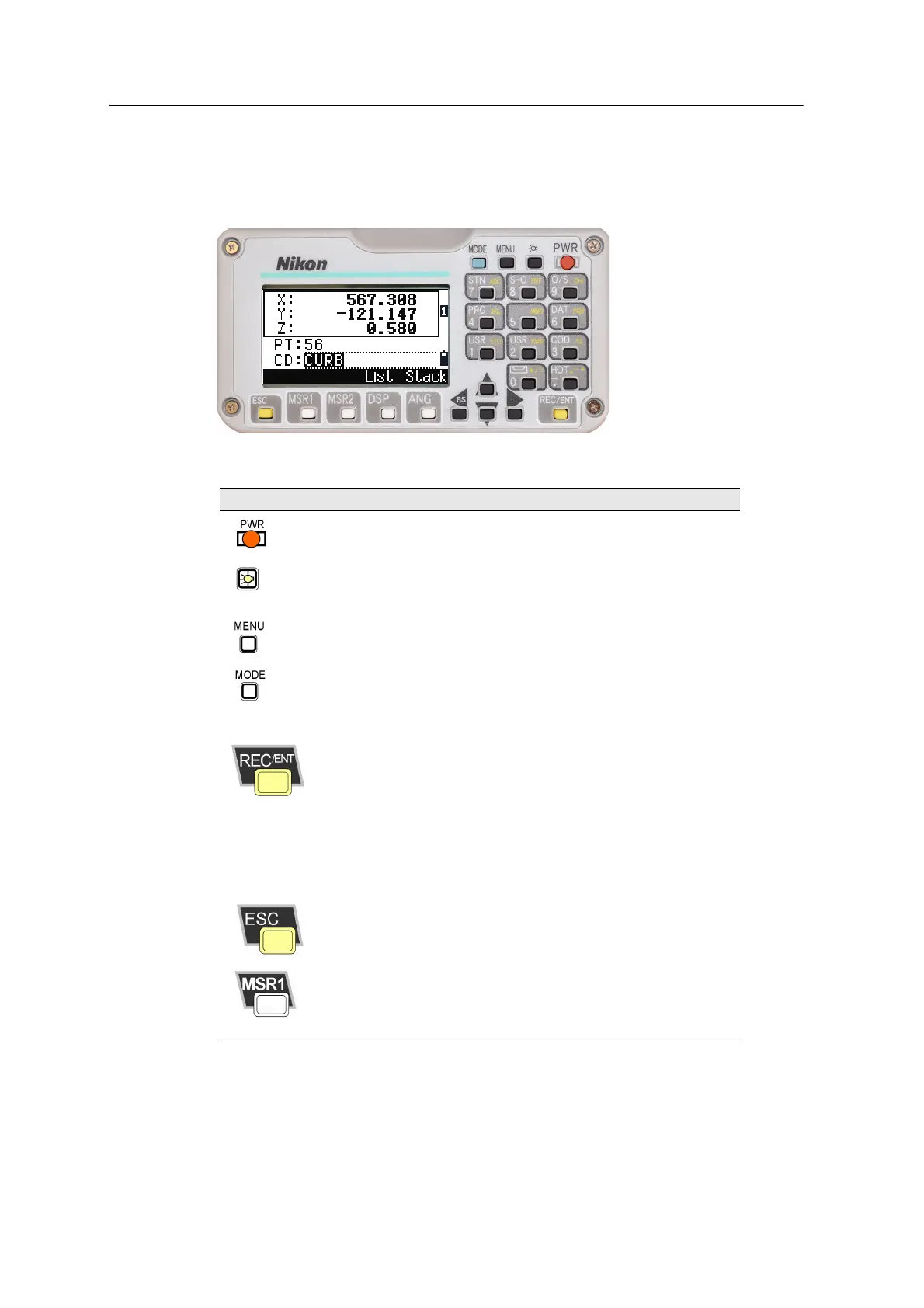
The following figure shows the keys on the N Series/K Series instrument keyboard
and the LCD display.
The functions of the N Series/K Series keys are as follows.
Key Function Details
Turns the instrument on or off. page 24
Illumination key. Turns the backlight on or off.
Provides access to the 3-switch (backlight, beep and
contrast) window if held down for one second.
page 32
Displays the MENU screen. page 97
Changes the key input mode between alphanumeric and
numeric if pressed when you are in a PT or CD field.
Activates Qcode mode if pressed when you are In the
Basic Measurement Screen (BMS).
page 35
Records measured data, moves on to the next screen, or
confirms and accepts the entered data in input mode.
You have the option to record the measurement as a CP
record instead of an SS record, if you hold this key down
for one second in the Basic Measurement Screen (BMS).
The instrument outputs the current measurement data (PT,
HA, VA, and SD) on the COM port if you press this key in
the BMS or in a Stakeout observation screen. (The Data
Rec settings must be set to COM.)
page 87
Returns to the previous screen.
In numeric or alphanumeric mode, deletes input.
Starts distance measurement, using the measure mode
settings for the
[MSR1] key.
Displays measurement mode settings, if held down for one
second.
page 49












 To Next Page