4 Applications
56 Nikon N Series/K Series Total Station Instruction Manual
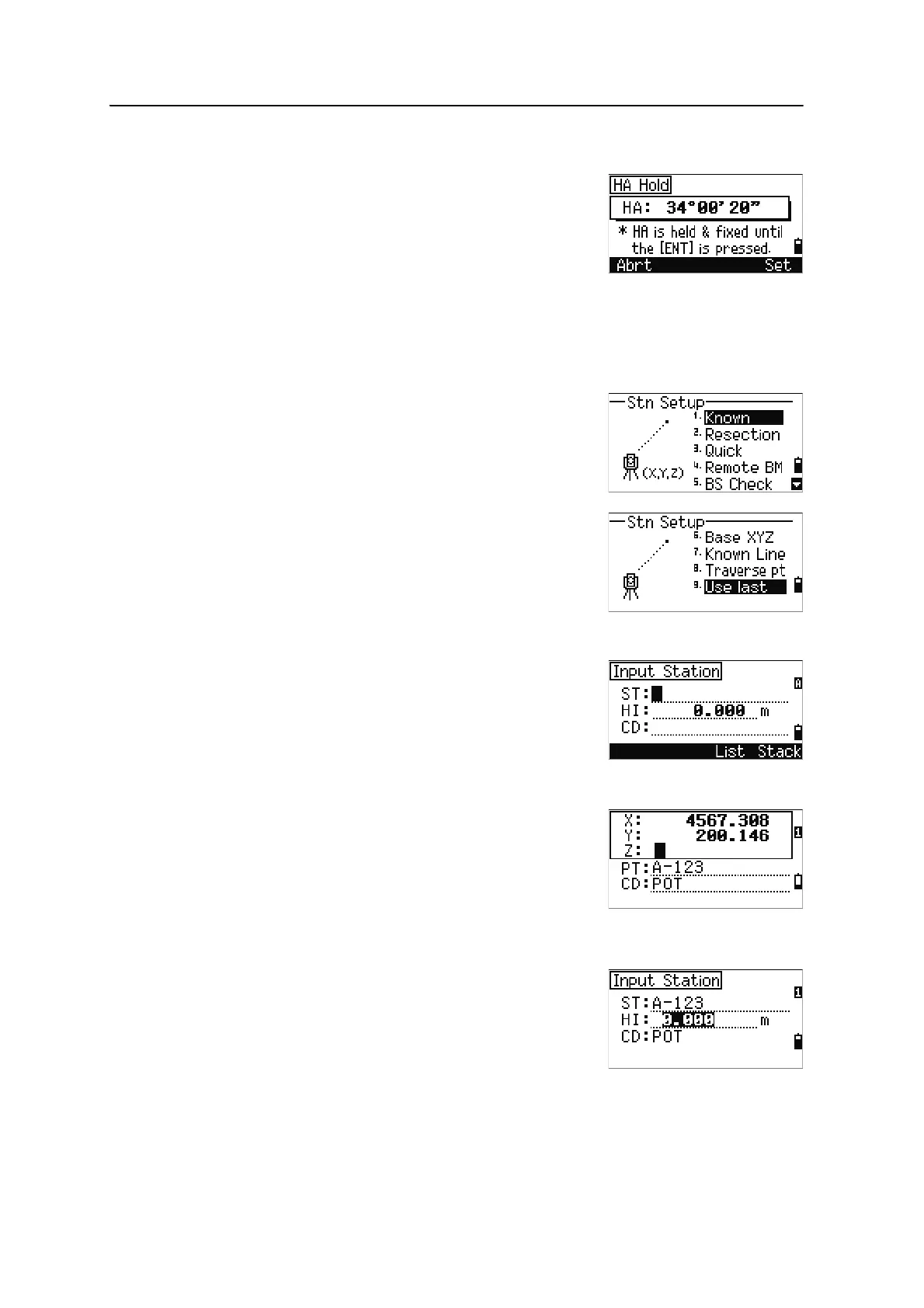
Horizontal angle hold
To hold the horizontal angle to the current value, press
[5] or select Hold in the Angle menu.
To set the horizontal angle to the displayed value, press
[ENT] or the Set softkey.
To cancel the process and return to the Basic
Measurement Screen (BMS), press
[ESC] or the Abrt softkey.
Station Setup
To open the Stn Setup menu, press [STN] in the BMS.
To select a command from this menu, press the
corresponding number key. Alternatively, press
[<] or [>]
to highlight the command and then press
[ENT]. Press [^]
or
[v] to move up or down one page.
The last function used is highlighted.
Setting up a station with known coordinates or azimuth
1. Press [1] or select Known in the Stn Setup menu.
2. Enter a point name or number in the ST field.
– If the input point number or name is an
existing point, its coordinates are displayed
and the cursor moves to the HI (Height of
instrument) field.
– If the point is new, a coordinate input
screen appears. Enter the coordinates for
the point. Press
[ENT] after each field. When
you press
[ENT] in the CD field, the new
point is stored.
– If the specified point has a code, the code
appears in the CD field.
3. Enter the instrument height in the HI field and
then press
[ENT].












 To Next Page