4 Applications
78 Nikon N Series/K Series Total Station Instruction Manual
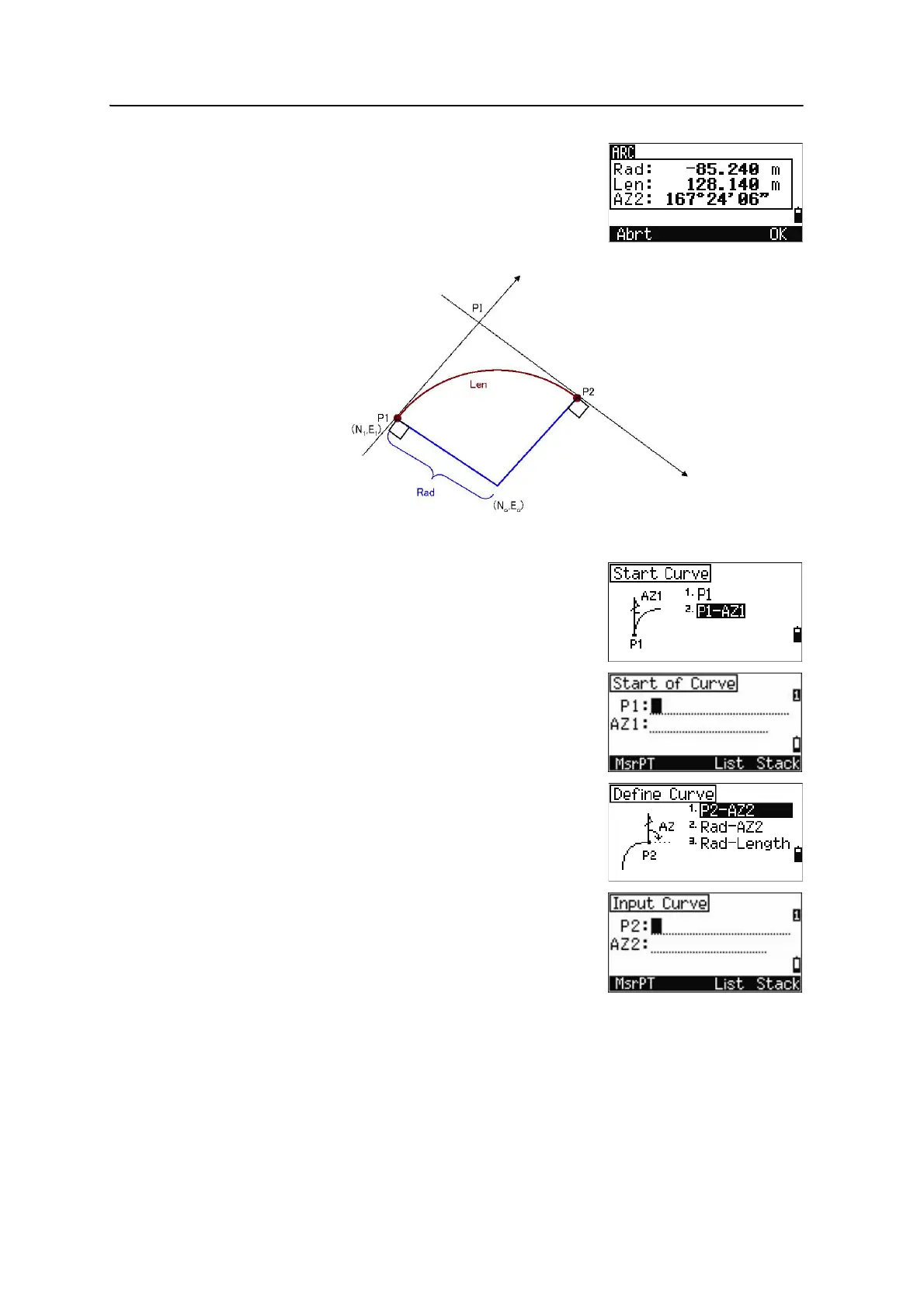
The defined arc parameters are displayed.
When pressing
[2] or selecting P1-AZ1
Enter the start of the curve point (P1) and the
azimuth of its tangent line (AZ1).
To enter P1 by direct measurement, press the
MsrPT softkey.
Choose a method to define the arc.
P2 can be any point on the tangent line that is to
exit the curve.












 To Next Page