92
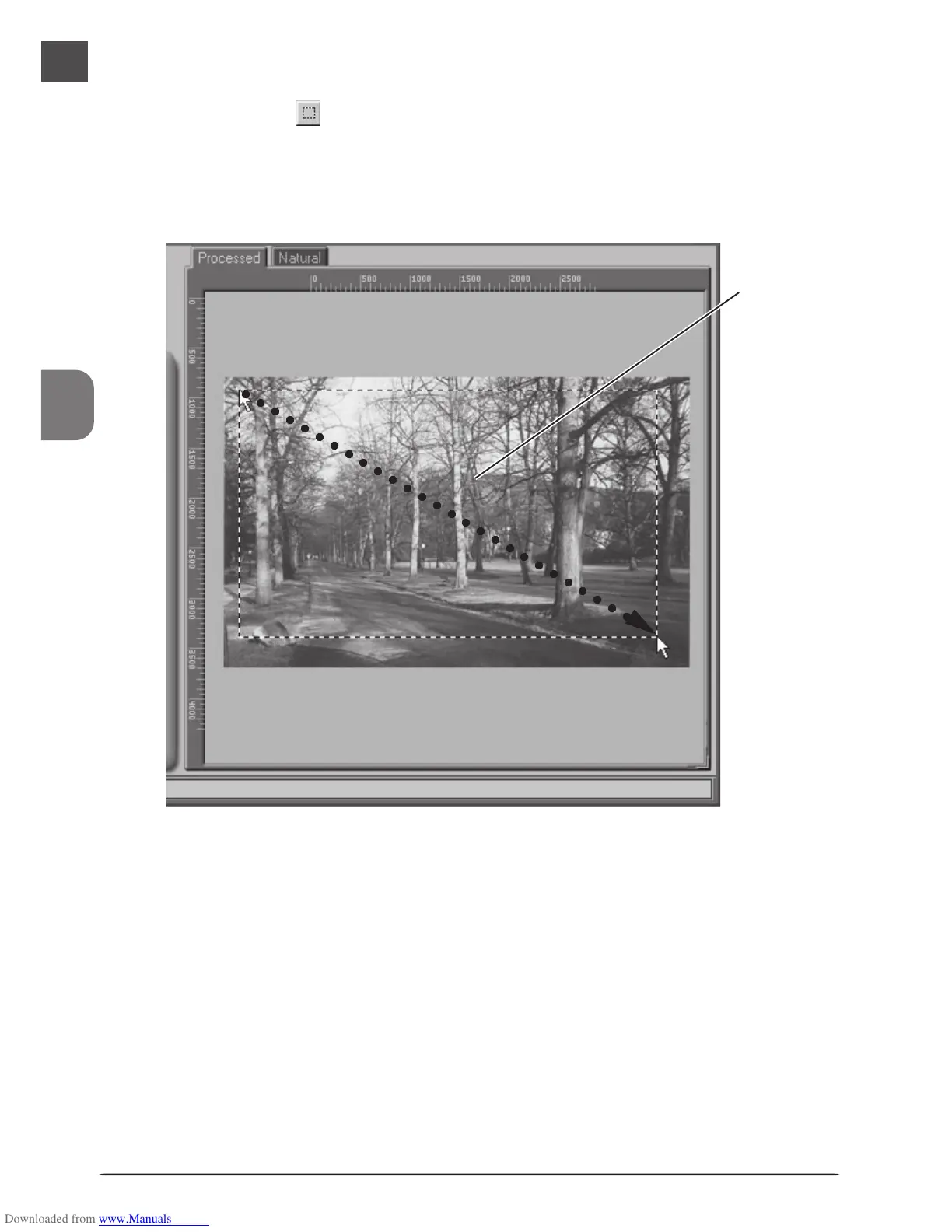
The size of the crop can be changed by dragging its boundaries. To change the position of
the crop, place the cursor inside the selected area and drag it to a new location.
Selected
area
(“crop”)
8
Select a crop
Select a portion of the image for scanning. This selection is referred to as the “crop.”
Click the Crop tool ( ) in the Layout Tools palette and drag the mouse to select a crop.
The borders of the crop are indicated by a dotted line.
Selecting the Entire Image
Double-click inside the current crop to select the entire image. When the entire image is
selected, the borders of the crop are not indicated by a dotted line.
○○○○○○○○○○○○○○○○○○○○○○○○○○○





 To Next Page