93
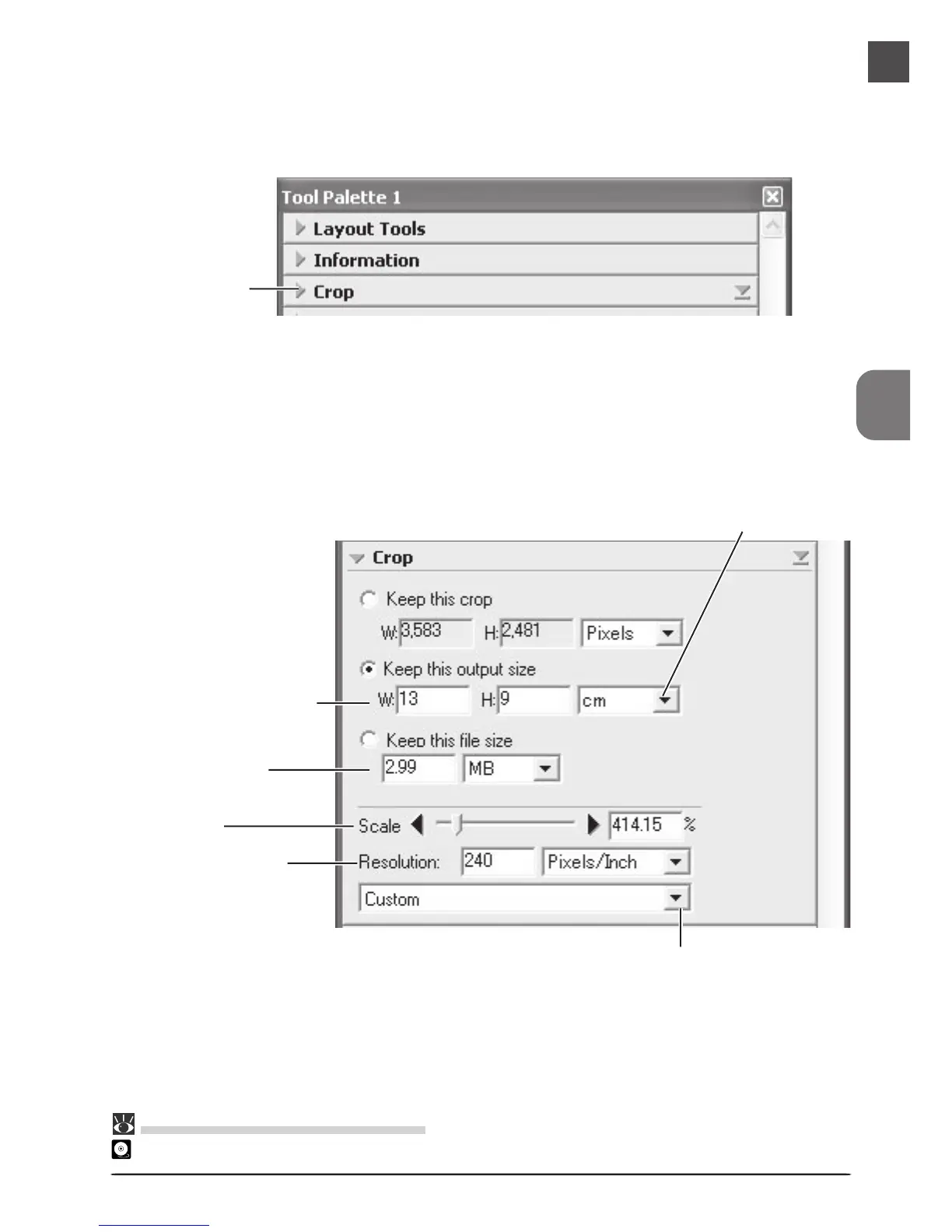
The Crop palette contains three options for determining output size: Keep this crop,
Keep this output size, and Keep this file size.
Output resolution
menu
Resolution text box
Output units menu
Output size text boxes
File size text box
Scale slider
9
Choose an output size and resolution
If desired, you can specify the dimensions and resolution of the final image (“output size
and resolution”). Click the triangle at the top left corner of the Crop palette to view the
controls in the Crop palette.
Pg. For more information on:
46 The Crop palette
Click





 To Next Page