En
14
1
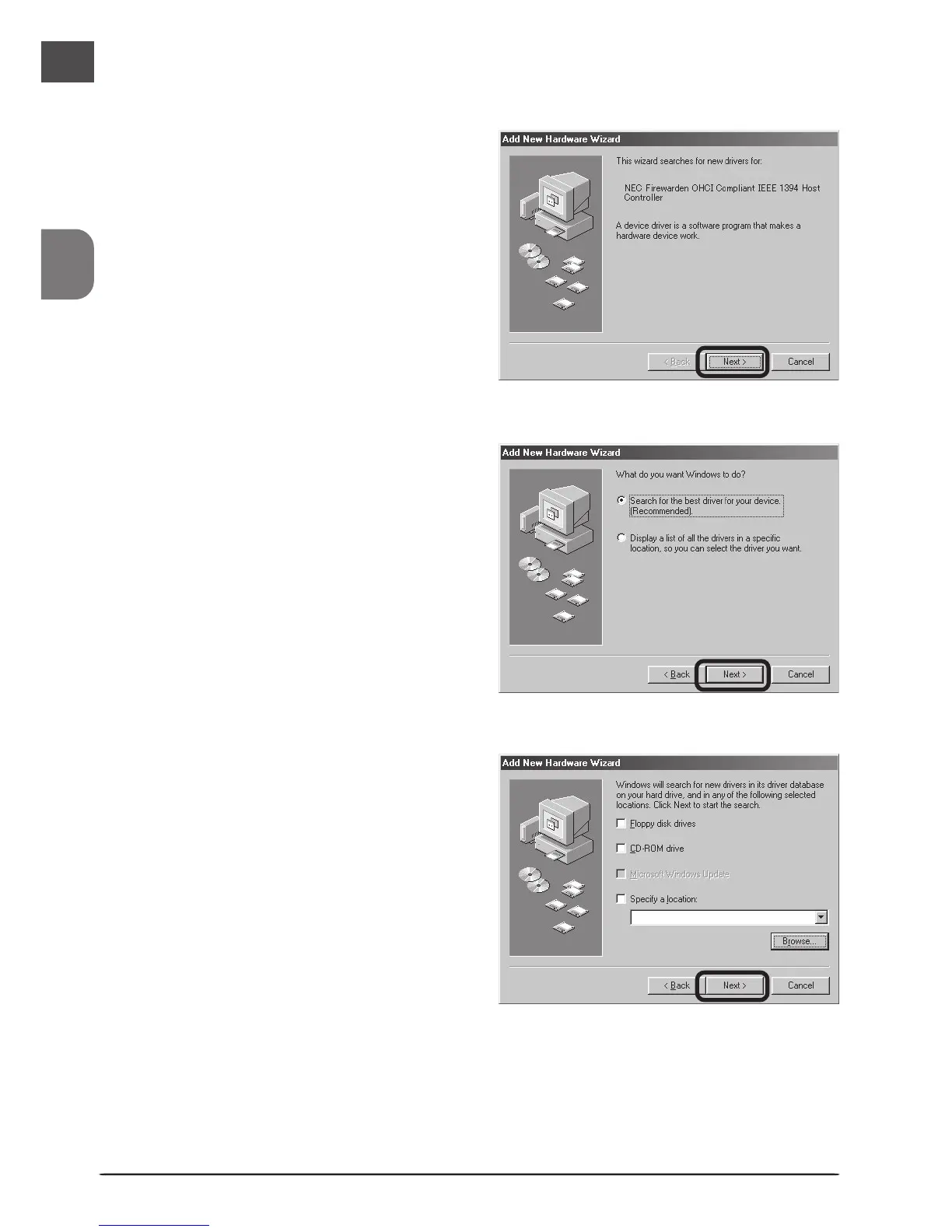
The first time the computer is pow-
ered on with the board in place, the
dialog shown at right will be dis-
played. Click Next.
3
The dialog shown at right will be dis-
played. After making sure that none
of the options are selected, click Next.
2
Select Search for the best driver for
your device (Recommended) and click
Next.
Windows 98 Second Edition (SE)












 To Next Page