En
13
2
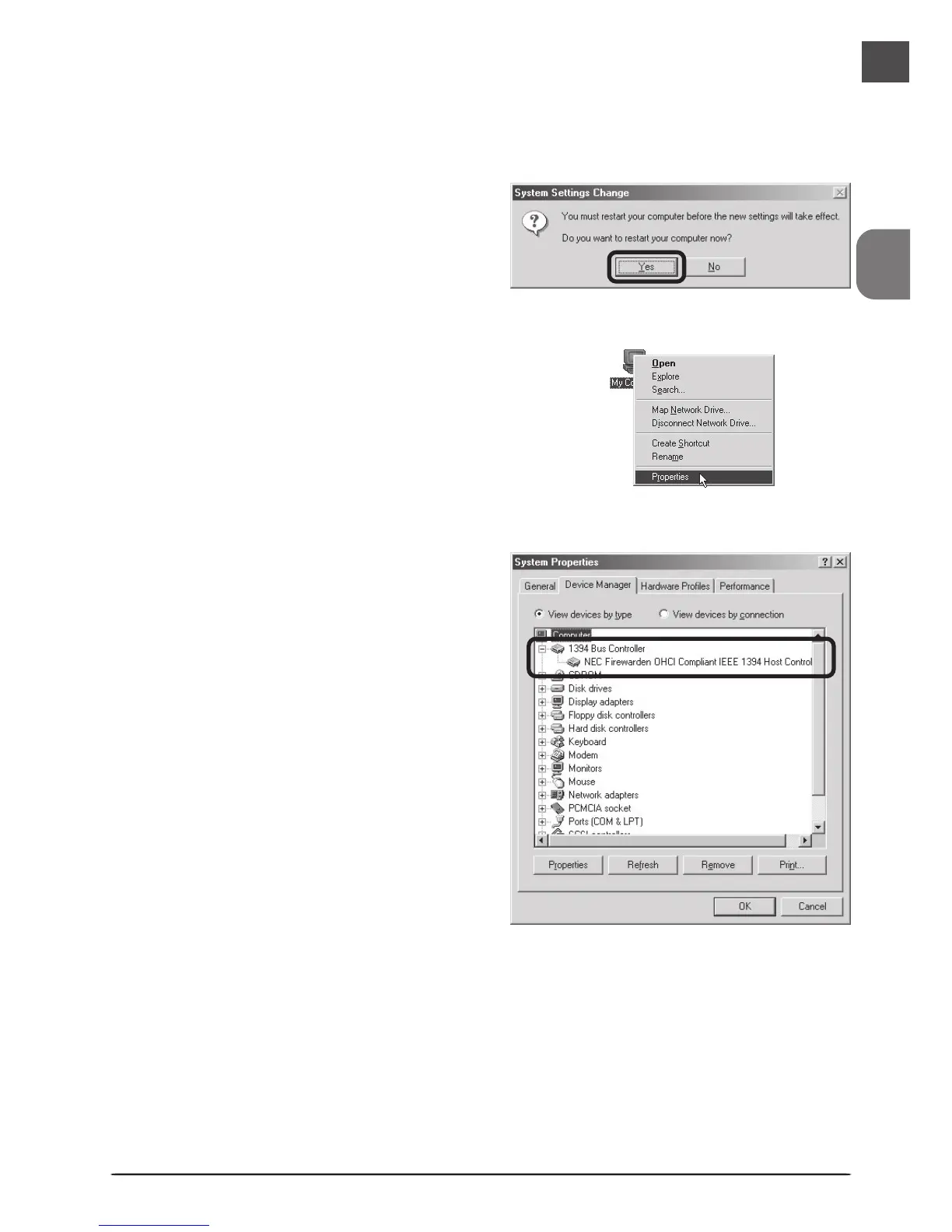
Click on the My Computer icon with
the right mouse button and select
Properties from the menu that ap-
pears.
Windows Millennium Edition (Me)
The first time the computer is powered on with the board in place, Windows Me will automati-
cally install the board drivers. To confirm that the drivers are installed and functioning normally:
3
In the System Properties window, click
the Device Manager tab. Check that
“NEC Firewarden OHCI Compliant
IEEE 1394 Host Controller” appears in
the Device Manager under “1394 Bus
Controller.”
1
The dialog shown at right will be dis-
played. Click Yes to restart your com-
puter.












 To Next Page