En
20
6
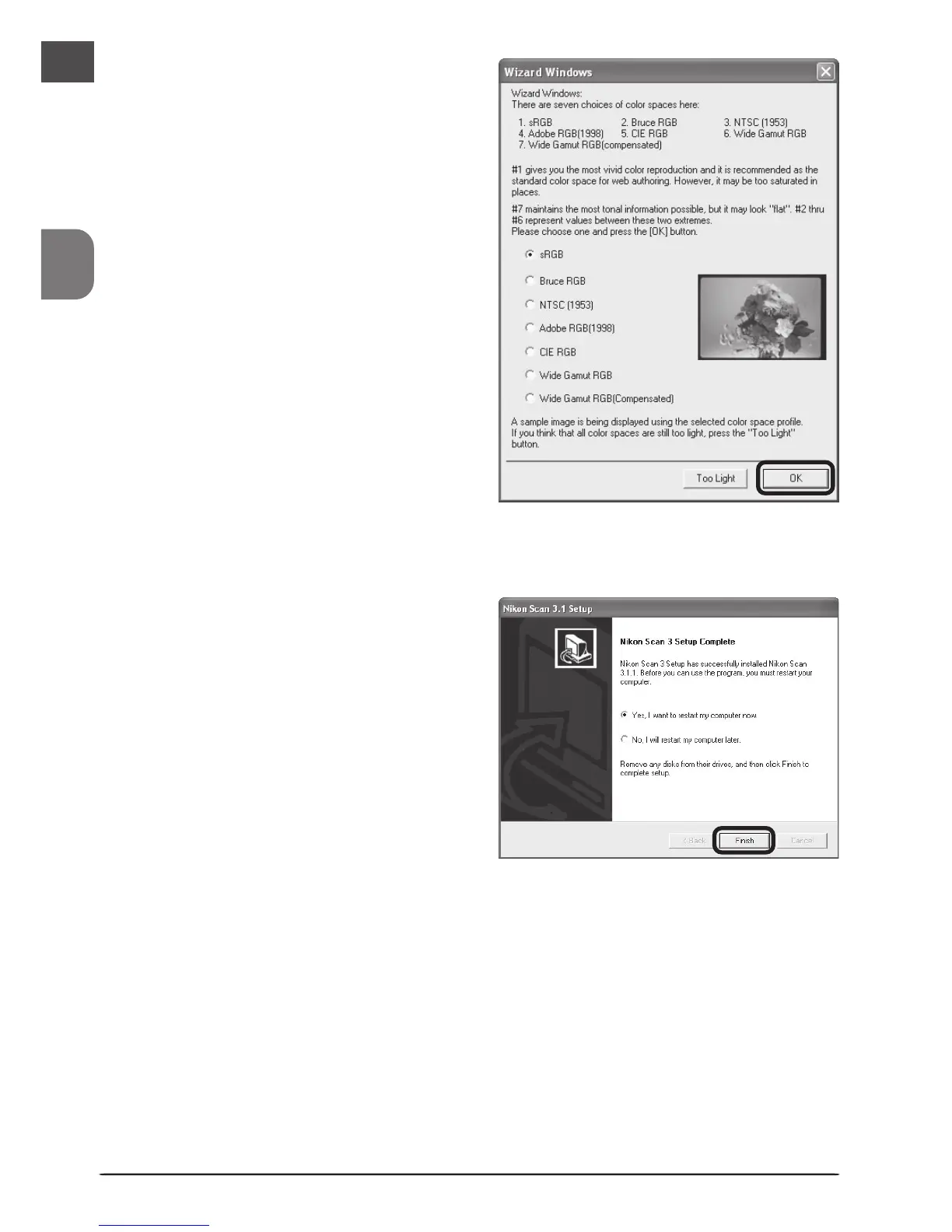
Choose an RGB color-space profile from
the list and click OK. More information
about the different profiles is available in
the Nikon Scan Reference Manual.
7
The installation complete dialog will be
displayed. Click Finish to exit the
InstallShield wizard.
8
Once the computer has restarted, take a few moments to view the ReadMe file, which may
contain important information that could not be included in this manual. This completes
installation of Nikon Scan 3.












 To Next Page