- - - - -
-~
- -
~
••••••••••••••••••••••
--------------
--------------------------------------------
------
----------------------
3
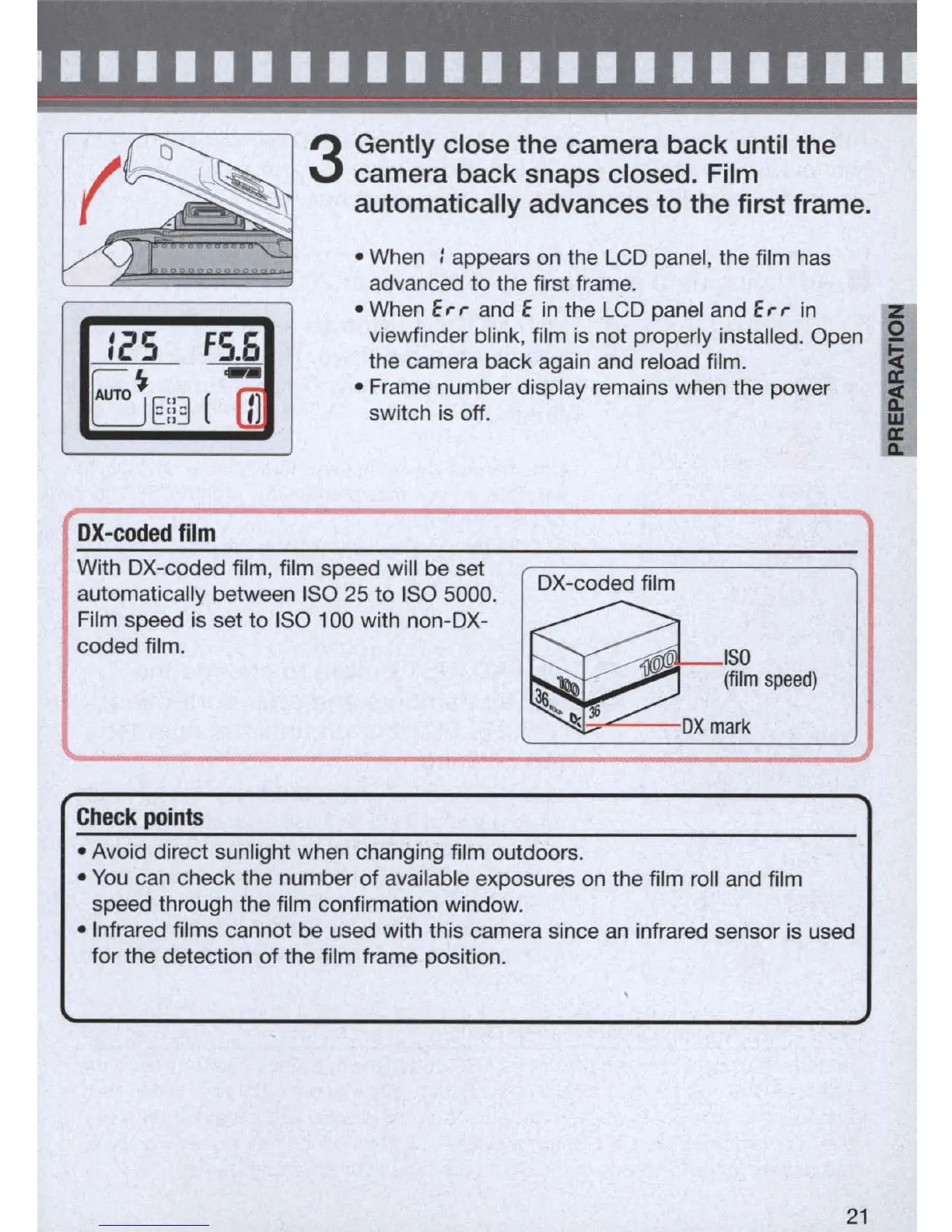
Gently close
the
camera
back
until
the
camera
back
snaps closed. Film
automatically advances
to
the
first frame.
• When : appears
on
the LCD panel, the film has
advanced
to
the first frame.
:~S
FS.6
B
---
• When
E,.,.
and E
in
the LCD panel and
E,.,.
in
viewfinder blink, film
is
not properly installed. Open Q
the camera back again and reload film. i
• Frame number display remains when the power if
AUTO
E::3
(
rn
switch
is
off. w
OX-coded
film 1
vW~it&h~DDXX-~c~o~d~eddff~ilm~
,
ffilil~m~s;p;e~e~d~w~illtb;e~s;e~t--~
(
:D;X=-=c=o=d=e=d=fi=lm============~
automatically between ISO 25 to ISO 5000.
~ISO
Film speed
is
set to ISO 100 with non-DX-
coded film.
(film
speed)
:l6
~
:Ii
~
OX
mark
Check
points
• Avoid direct sunlight when changing film outdoors.
•
You
can check the number of available exposures on the film roll and film
speed through the film confirmation window .
• Infrared films cannot be used with this camera since
an
infrared sensor
is
used
for the detection of the film frame position.
21
a:
A.



 To Next Page