•••••••••••••••••••••••
• When
focus
mode
is set
to
Manual
Single Area
Mode
is
automatically selected when the focus mode
selector
is
set to M (manual, page
45)
.
. . . . . . . . . . . . . .
..
. . . . . . . . . . . . . . . . . . . . . . . . . . . . . . . . . . . . .
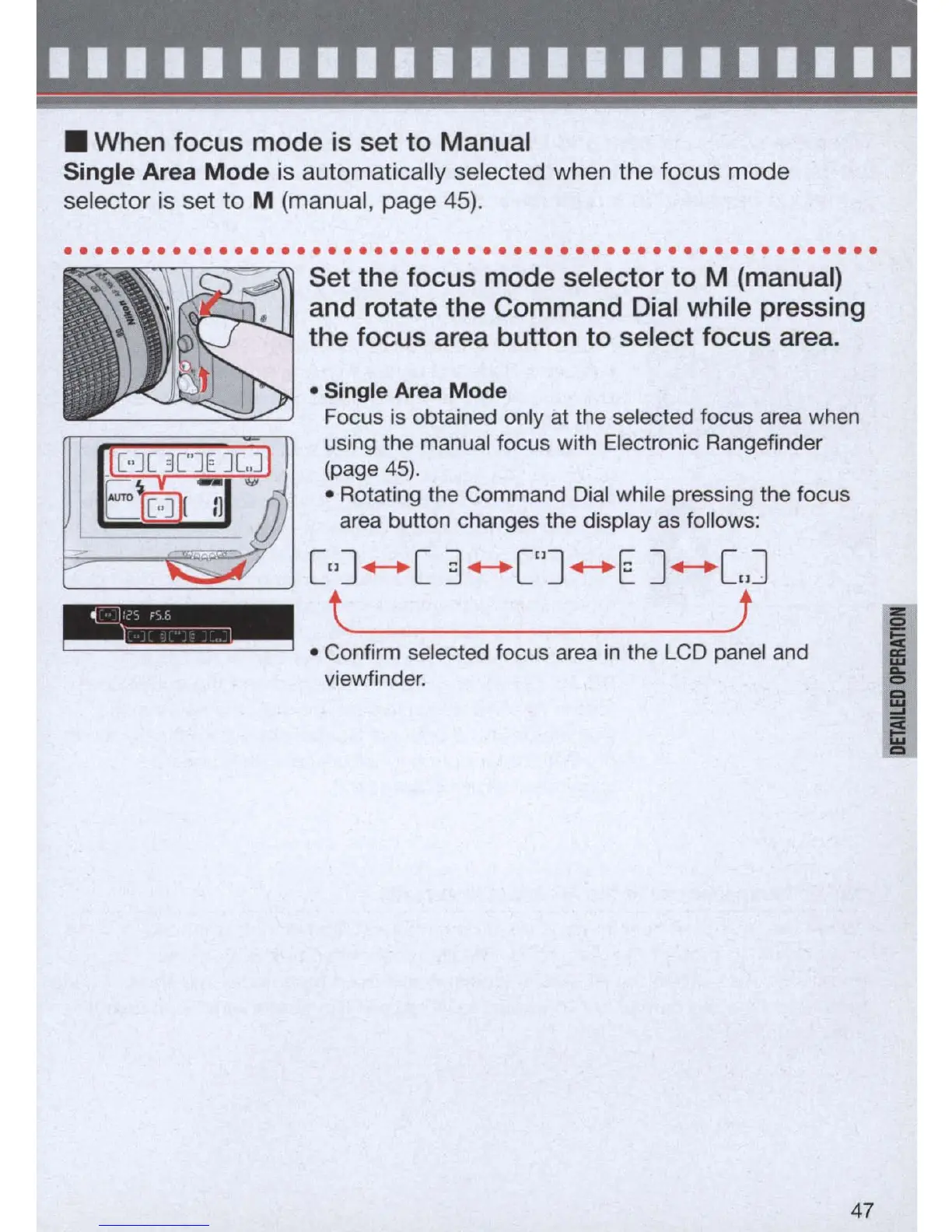
Set
the
focus
mode
selector
to
M (manual)
and rotate
the
Command Dial while pressing
the
focus
area button
to
select
focus
area.
• Single Area
Mode
Focus is obtained only at the selected focus area when
using the manual focus with Electronic Rangefinder
(page
45).
• Rotating the Command
Dial
while pressing the focus
area button changes the display
as
follows:
[,,]
+-+
[ 3
+-+
["]
+-+
E ]
+-+
[J
t J
• Confirm selected focus area
in
the LCD panel and
viewfinder.
47



 To Next Page