s:
Shutter-Priority Auto
Enables
you
to
manually
set
the
desired
shutter
speed
(30-1/2000 sec.);
the
camera
automatically
selects
the
proper
aperture
to
provide
correct
exposure.
With
high
shutter
speeds,
you
can
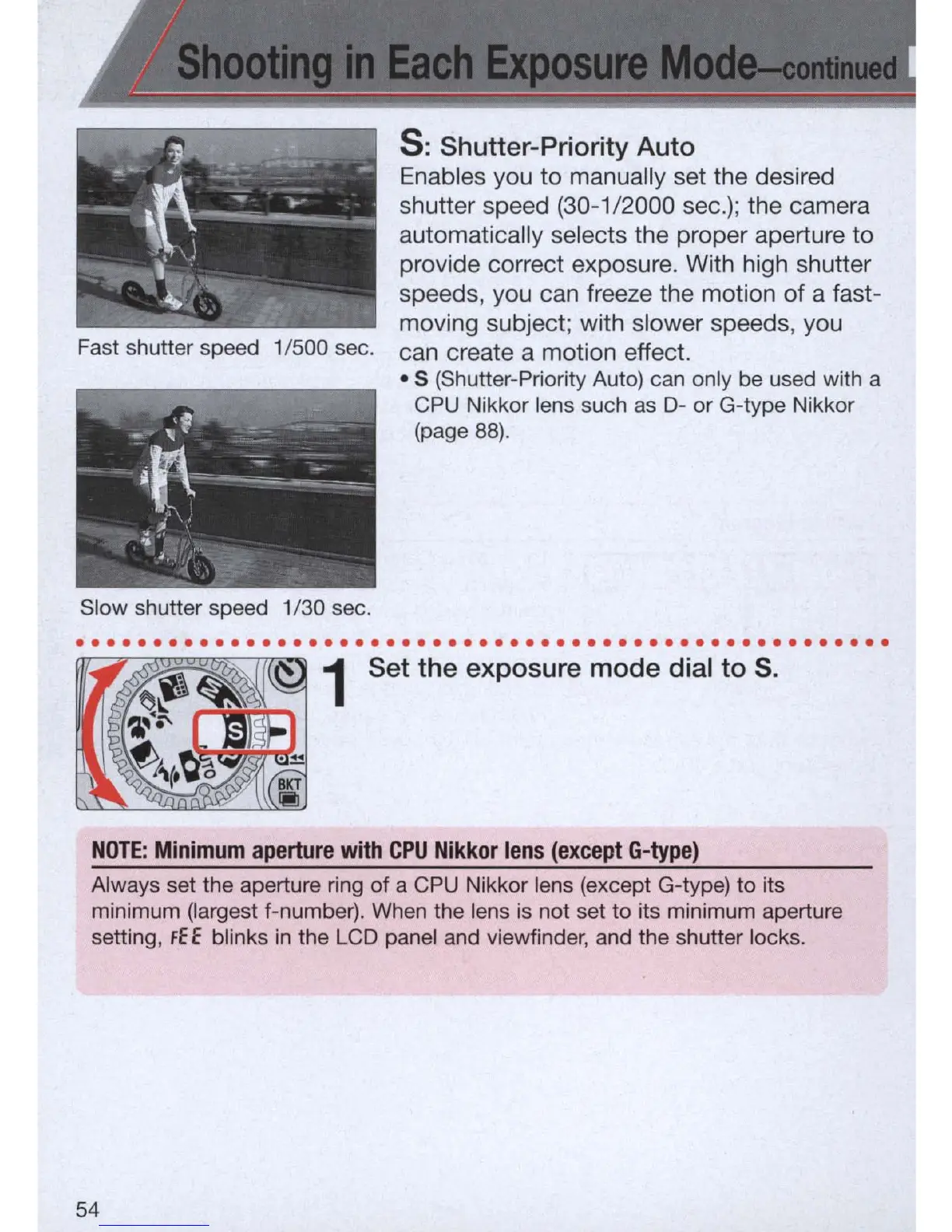
freeze
the
motion
of
a
fast-
moving
subject;
with
slower
speeds,
you
Fast shutter speed 1/500 sec.
can
create
a
motion
effect.
Slow shutter speed 1/30 sec .
• S (Shutter-Priority Auto) can only be used with a
CPU
Nikkor lens such
as
0-
or G-type Nikkor
(page
88).
. . . . . . . . . . . . . . . . . . . . .
..
. . . . . . . . . . . . . . . . . . . . . . . . . . . . . .
1 Set the exposure mode dial to
S.
NOTE:
Minimum
aperture
with
CPU
Nikkor
lens
(except
G-type)
Always set the aperture ring of a
CPU
Nikkor lens (except G-type) to its
minimum (largest f-number).
When
the lens
is
not set to its minimum aperture
setting,
fEE
blinks
in
the
LCD
panel and viewfinder,
and
the shutter locks.
54



 To Next Page