6 Repeating (RPT) flash operation
94
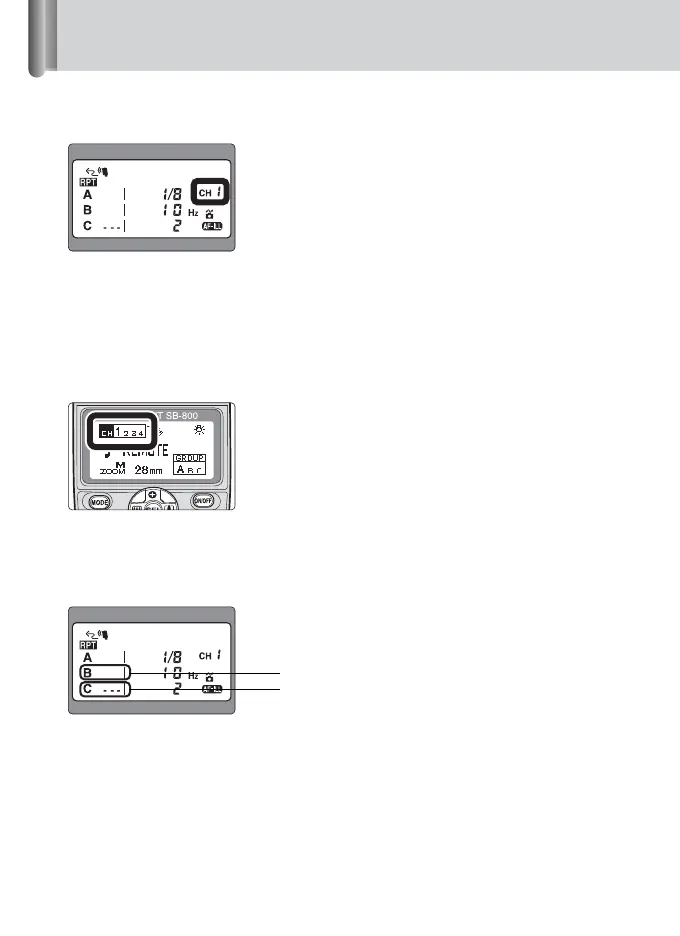
Setting a channel number on the SU-800
Press the [SEL](FUNC.) button on the SU-800 to display the channel number
(blinking). Press the [] or [] button to change the channel number. Press the
[SEL](FUNC.) button once again and the channel number will stop blinking. The
last channel number to blink is the one that has been set automatically.
• Select one of the four available channels. The same channel number is set for all Groups
A, B and C.
Setting a group and a channel number on the Speedlight
Set the same channel number as set on the SU-800.
• Refer to your Speedlight instruction manual for specific information on settings.
Setting the flash mode on each group
Press the [SEL](FUNC.) button to display the group (blinking). Press the [MODE]
button to set the group to fire or to cancel.
Display when using the SB-800
Firing
Firing canceled







 To Next Page