E31
Connecting the Camera to a Printer (Direct Print)
Reference Section
Printing Images One by One
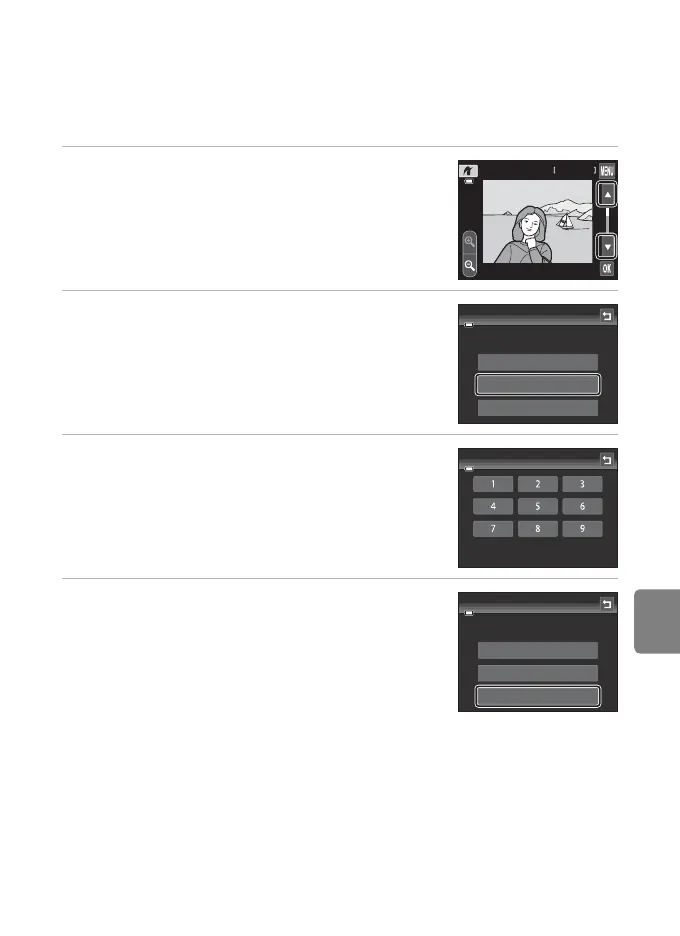
After properly connecting the camera to the printer (E30), follow the procedure
described below to print an image.
1 Tap B or C to choose the desired image and
tap I.
• Tap o or rotate the zoom control to f (h) to switch
to nine-thumbnail display. Tap n or rotate the zoom
control to g (i) to switch back to full-frame playback.
2 Tap Copies.
3 Tap the desired number of copies (up to nine).
4 Tap Paper size.
9999 / 9999
4 / 4
2011 / 01 / 01
15 / 05 / 2012
001 prints
Start print
Copies
Paper size
PictBridge
Copies
004 prints
Start print
Copies
Paper size
PictBridge














 To Next Page