34
Basic Steps for Shooting and Playback
Step 6 Delete Unwanted Images
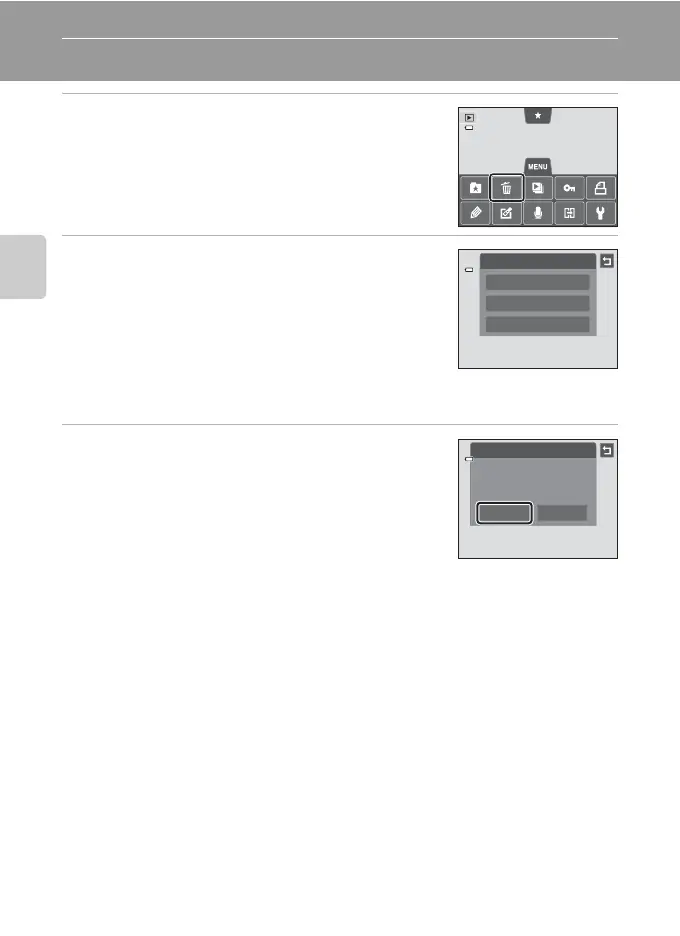
1 Playback an image to be deleted, tap the d
tab to display the menu options (A12), and
tap c.
2 Tap the desired delete option.
• Current image: Delete the currently displayed full-
frame image or movie (A86).
• Erase selected images: Select multiple images and
delete them. See “Operating the Erase Selected Images
Screen” (A35) for more information.
• All images: Delete all images.
• If step 1 is performed in thumbnail playback mode (A33), select either Erase
selected images or All images.
3 Tap Yes on the delete confirmation dialog.
• Deleted images cannot be recovered.
• To exit without deleting the image, tap J or No.
B Notes About Deletion
• Once deleted, images cannot be recovered. Transfer important images to a computer before
deleting them.
• Protected images cannot be deleted (A75).
Delete
All images
Erase selected images
Current image
Delete
Yes No
Erase 1 image?














 To Next Page