12
Indicators and Operations of the Monitor/Touch Panel
Parts of the Camera and Basic Operations
During Playback
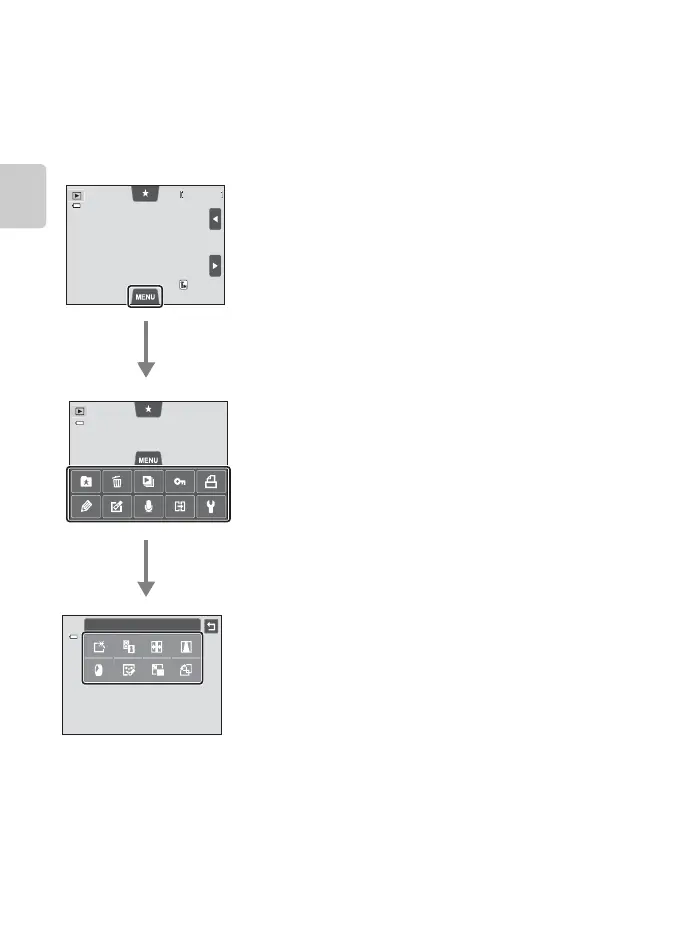
Use the d tab to delete or edit images.
• Select images before making changes. You can select images by dragging them
while the menu option selection screen is displayed.
• You can also change the general camera settings using the setup menu.
4 / 4
4 / 4
0004. JPG
0004. JPG
15/05/2012 15:30
15/05/2012 15:30
Retouch
Tap the d tab
• The icons of menu options that can be changed in the
current mode are displayed.
• If the d tab is hidden, tap the monitor.
Tap a menu option
• The setting screen of the selected menu option is
displayed.
• Tap z to display the setup menu.
• To hide the menu options, tap the d tab.
Tap a setting option to apply the setting
• To return to the previous screen, tap J.














 To Next Page