38 XTM0011-F2 XT V 160 X-ray System
Home the manipulator
Before the manipulator in the inspection system can be used, it must be homed. This is
necessary whenever Inspect-X is restarted. The homing operation sends each axis to its
zero position and sets the allowable travel for that axis. Once this operation is complete for
all axes, then the manipulator is calibrated and ready for use.
To avoid damage to either the manipulator or other materials, ensure
that there are no samples, tools, or other objects in the cabinet that
may collide with the manipulator before you perform a homing
operation.
To home the manipulator, follow these steps:
1. Click Setup to select the setup controls.
2. In the Manipulator panel, click
.
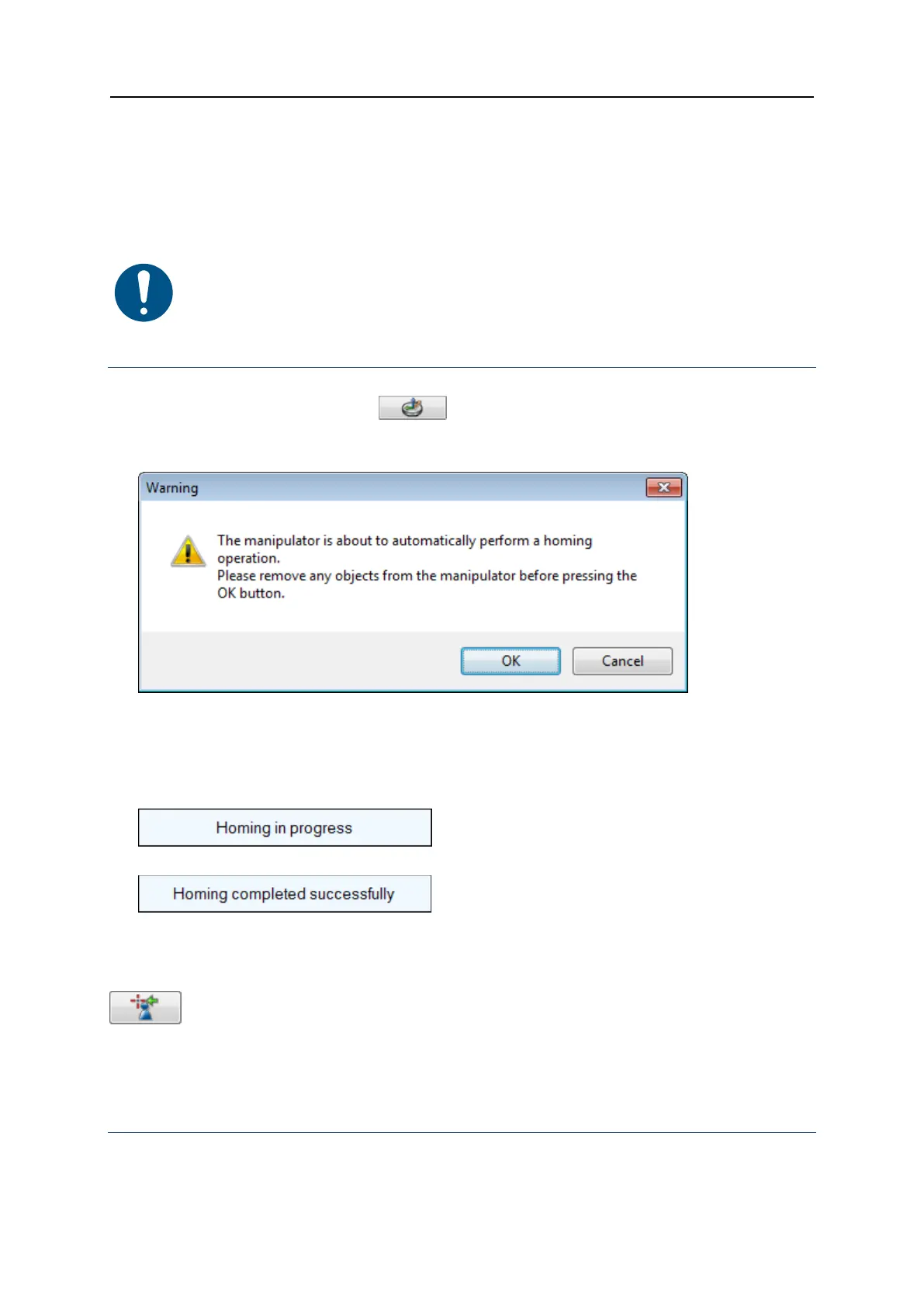
A Warning appears reminding you to remove from the cabinet any objects that are likely
to collide with the manipulator.
3. Click OK at the prompt to proceed.
No other operation can be performed using the manipulator until the homing operation
has completed, or has been stopped by pressing the Stop button in the bottom right
corner of the screen.
Whilst the homing operation is in progress, a warning displays:
When homing is complete, the following message appears:
The manipulator is now ready for use.
5.4.2 Load the sample
Move to the load position
Optionally, to make it easier to load the sample into the cabinet, you can move the
manipulator to the load position.
To move to the load position, follow these steps:
1. Ensure the manipulator has been homed.


 To Next Page