Introduction to the X-ray system
28 XTM0011-F2 XT V 160 X-ray System
4.4 Inspect-X
Inspect-X is the software that controls Nikon Metrology X-ray inspection systems. Inspect-X
is used with a single large screen (3840 x 2160 pixels), or dual Full HD screens(1920x1080).
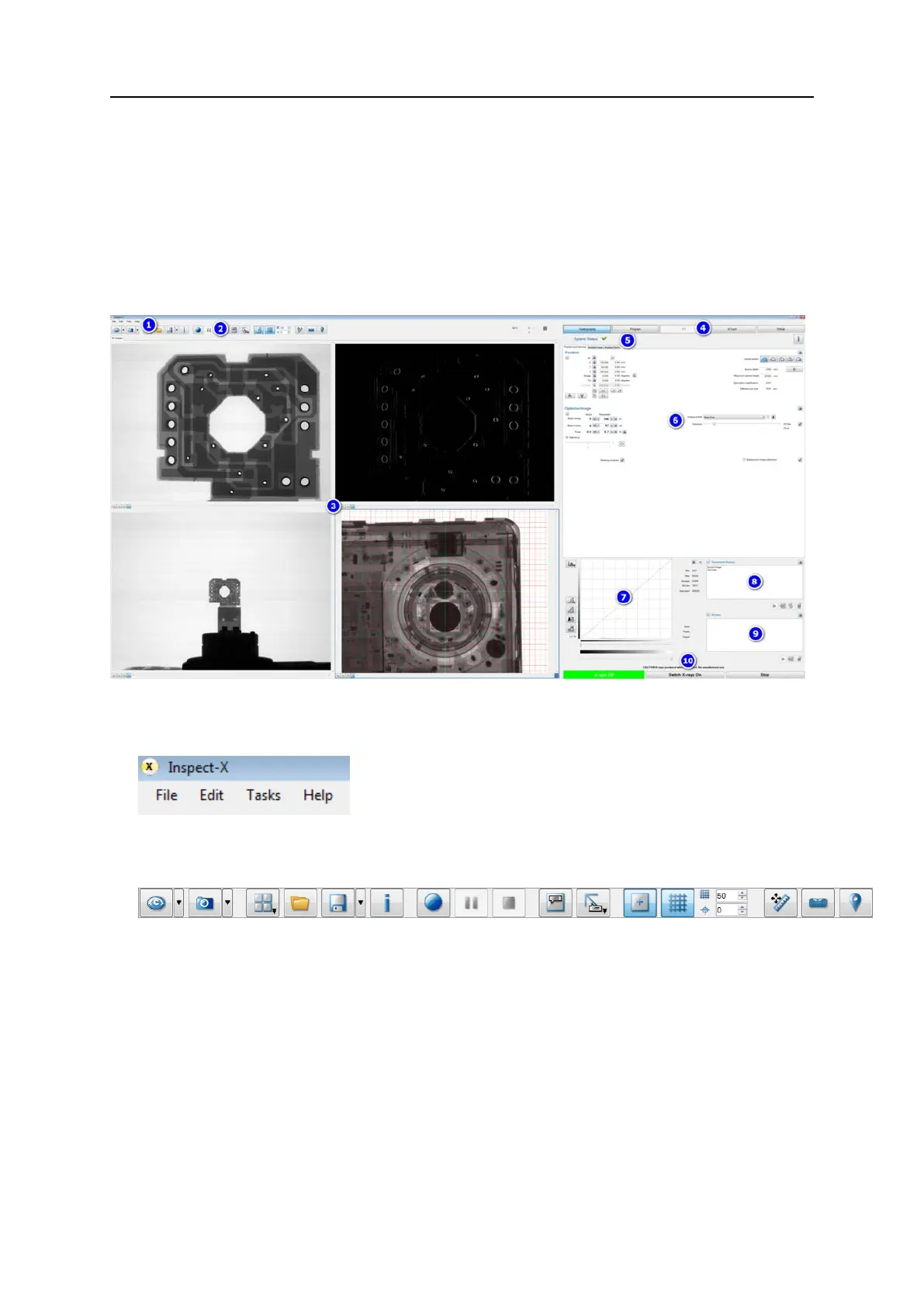
The image window displays on the left side with the toolbar above the image window. The
control area is displayed on the right.
Screen layout
The screen is divided into the following areas:
1. Menu bar
The menu bar is located at the top of the window and provides access to a number of
Inspect-X functions through a series of menus.
2. Imaging control toolbar
The imaging control toolbar contains controls for enabling and disabling live imaging,
saving images, annotating images and controlling how the images are displayed.
3. X-ray image window
The image window can display four images at once, which can be a mix of captured or
previously saved and re-loaded images plus one live image. These are displayed either
as four tabs, or if supported and enabled on your system as four images in a split screen
configuration.
If your inspection system is configured with either the 2D or 3D Computed Tomography
(CT) options, an additional imaging tab is displayed when setting reconstruction options
in the CT workflow. This allows the setting of the CT volume (3D) or area (2D) of interest
for the reconstruction.
If your system is configured for device analysis (XT V systems only) then an additional
device analysis tab is displayed during the set-up procedure.


 To Next Page