72 XTM0011-F2 XT V 160 X-ray System
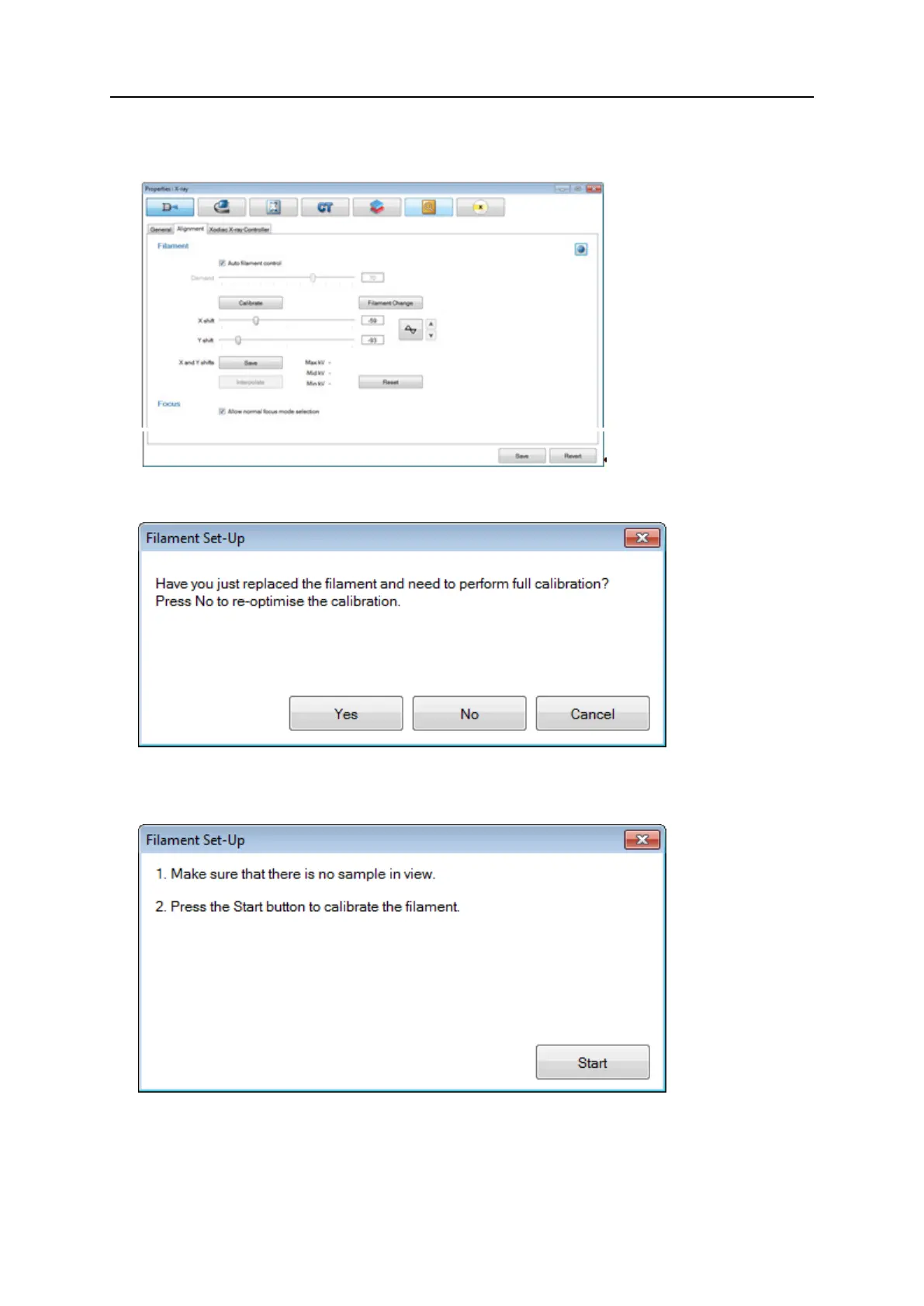
4. Click the Alignment tab.
5. Ensure that the Auto filament control check box is selected.
6. Click Calibrate.
A message appears asking whether you have just performed filament change.
7. Click Yes to display the Filament Set-Up window.
If you click No, the system will assume you wish to perform a regular filament adjustment.
8. Ensure there is no sample in view and click Start.
Inspect-X auto-conditions the source, calibrates the filament demand and the sets up the
X- and Y-shifts.


 To Next Page
 Loading...