May be subject to change page 19 of 27
Cooling
The ”Cooling” menu enables you to chose at which temperature cooling should be activated ac-
cording to the room temperature.
” ” indicates that the menu point flashes and can be set to another value.
Use of t he CTS 600 panel :
- pr ess ESC t o go one st ep back i n t he menu
- pr ess qpt o move up or down i n a menu or t o
adj ust an act i vat ed menu
- pr ess ENTER t o act i vat e a menu
- pr ess ENTER t o conf i r m a menu
- pr ess OFF t o t ur n of f t he uni t
- pr ess ON t o t ur n t he uni t on
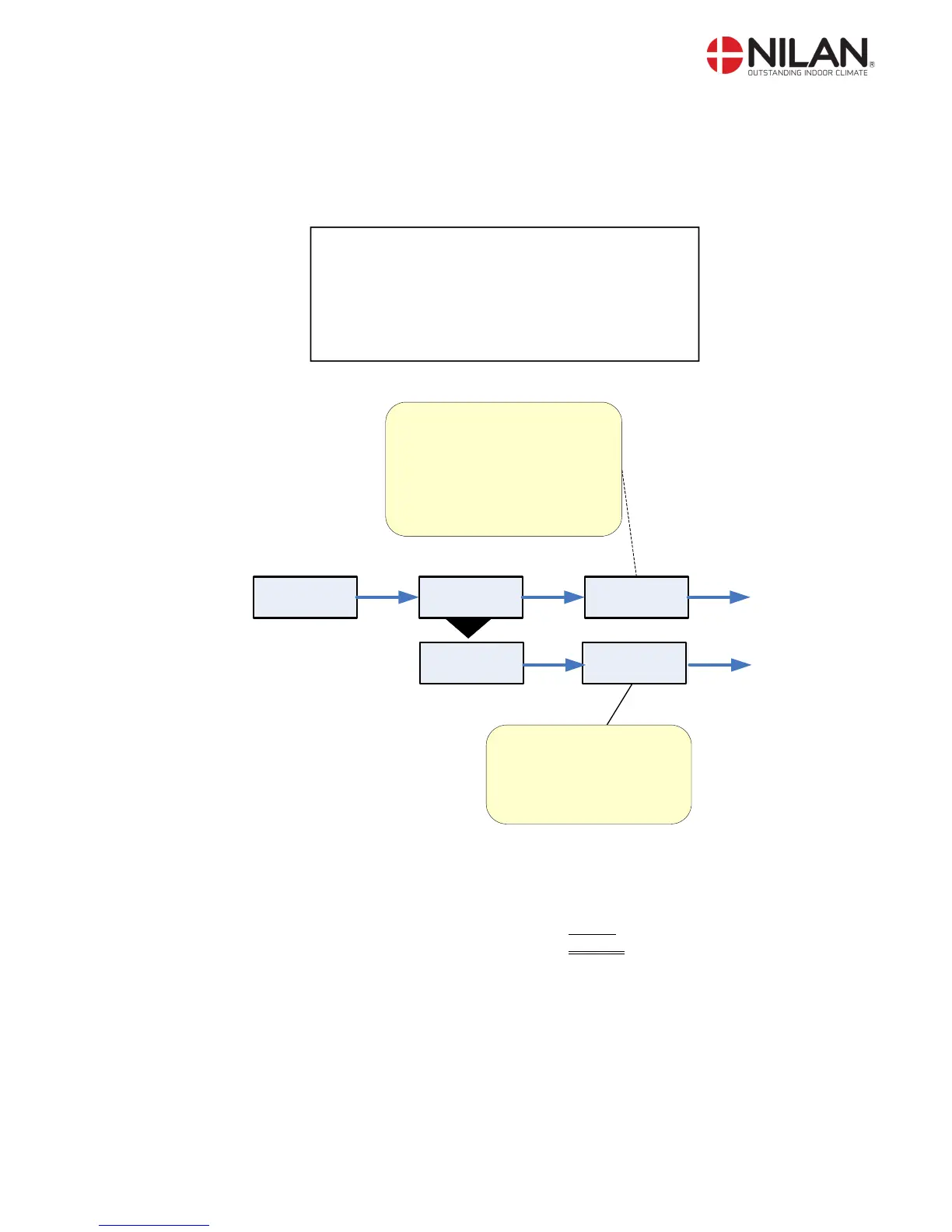
COOLING
TEMP
SET +3
TEMP
”SET +3”
ENTER ENTER ENTER
SET: the chosen temperature
in the main menu.
+5: allows cooling via
compressor 5 °C above
the chosen roomtemperature
The value can be set to:
OFF, 0, +1, +2, +3,+4,+5,+7,+10.
VENTILAT
HIGH OFF
Here it is possible to chose
high ventilation step when
cooling.
The value can be set to:
OFF, 2, 3, 4.
VENTILAT
HIGH ”OFF”
ENTER ENTER
Figure 13: The ”Cooling” menu
Example : Desired room temperature in main menu = 21°C
Cooling set = 5°C
Starting of compressor, cooling = 26°C


 To Next Page