4-6
I4-1
OPERATOR’S MANUAL FOR INFANT INCUBATOR EDITION/REVISION B/0
B. CHECK POWER FAILURE ALARM
Pull off the power cord of whole unit, the Power failure alarm should active, and the “Power”
light will flash with continuous audible sound.
This operation is used for checking if the power failure is normal or not. Insert the power cord
again after finishing checking.
IMPORTANT: Make sure that the rechargeable battery is full before usage. If not full, it may
cause the power failure without the alarming indication. If full, and there is no
any indication after disconnecting the main power supply, please refer to the
qualified service personnel.
C. CHECK HEATER
Control the environment temperature at 21 ~ 26 , and choose the ℃℃ Air Mode, and set the
temeprature at 33.0 , and all heat power indicator are on, and heater wll output heat completely.℃
NOTE: When the incubator works under the set state, and continue the following operation
procedure.
D. CHECK THE ACCURACY OF TEMPERATURE CONTROL
Select the Air Mode, and set the air temperature at 36℃, after the air temperature enters
into the STEADY TEMPERATURE CONDITION, put the calibrated temperature measuring
device on the position above 10cm from the center of mattress to measure the air temperature,
compared with the indicated air temperature to check whether the deviation between them is
within 0.8℃.
E. CHECK BABY MODE
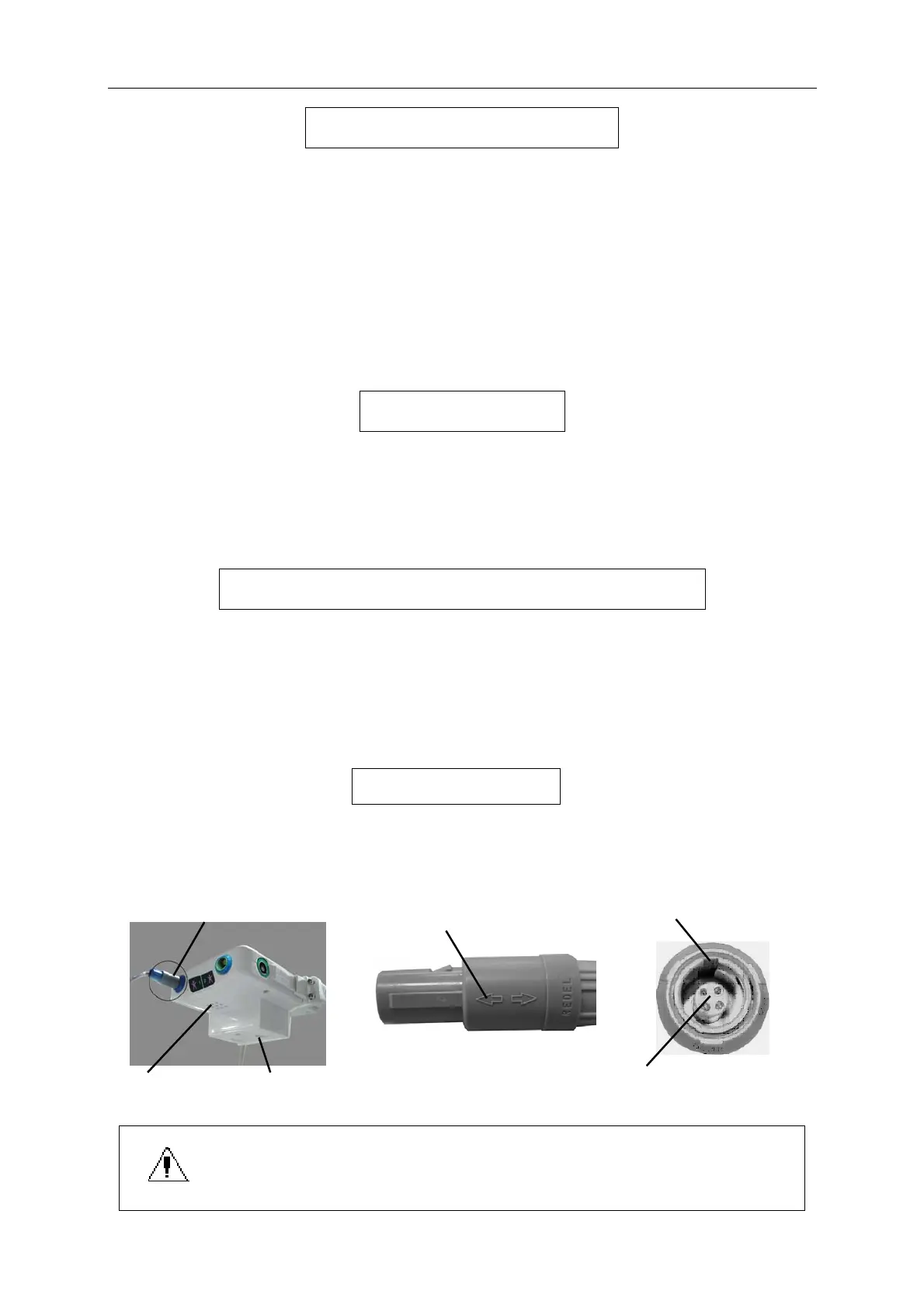
Insert two skin temperature sensors into the socket of skin sensor1 and skin sensor2
seprately,the arrow sign on the plug should aim to the opening on the sensor socket so that the
sensor is inserted correctly.
Skin temperature Sensor 1 Arrow Opening
A oxygen concentration sensor Sensor plug
Humidity sensor and air temperature sensor are located in the position A
1.Insert or pull out the skin sensor, you must hold the plug of skin sensor,
pulling the leads is forbidden.
2.Please do not bend the connection of sensor.


 To Next Page