6-3
I4-1
OPERATOR’S MANUAL FOR INFANT INCUBATOR EDITION/REVISION B/1
6.5 OPERATION AND CALIBRATION PROCEDURES
The system support with two kinds oxygen concentration calibration: 21% oxygen
concentration and 100% oxygen concentration. When the oxygen concentration of the
environment is below 21%, we suggest using 100% oxygen concentration calibration.
21% OXYGEN CONCENTRATION CALIBRATION
Keep the incubator in the environment which oxygen concentration is 21%.
a. Take out the sensor box under the condition of controller is turned off.
b. After press Oxygen Concentration Indicator key, turnning the controlleron to enter the
interface of 21% oxygen concentration calibration. The Oxygen Concentration indicator displays
“CA”, Set Temperature indicator displays “21”. Press the Keypad Lock key, system starts
calibrating the 21% oxygen concentration automatically. If the calibration is correct, the Oxygen
Concentration indicator displays "21", if not, it displays "Er". When the displayed value is
incorrect, please calibrate the system again according to the steps listed above. If the displayed
value by the indicator is still incorrect, please ask the qualifyed service personnel to mend it.
100% OXYGEN CONCENTRATION CALIBRATION
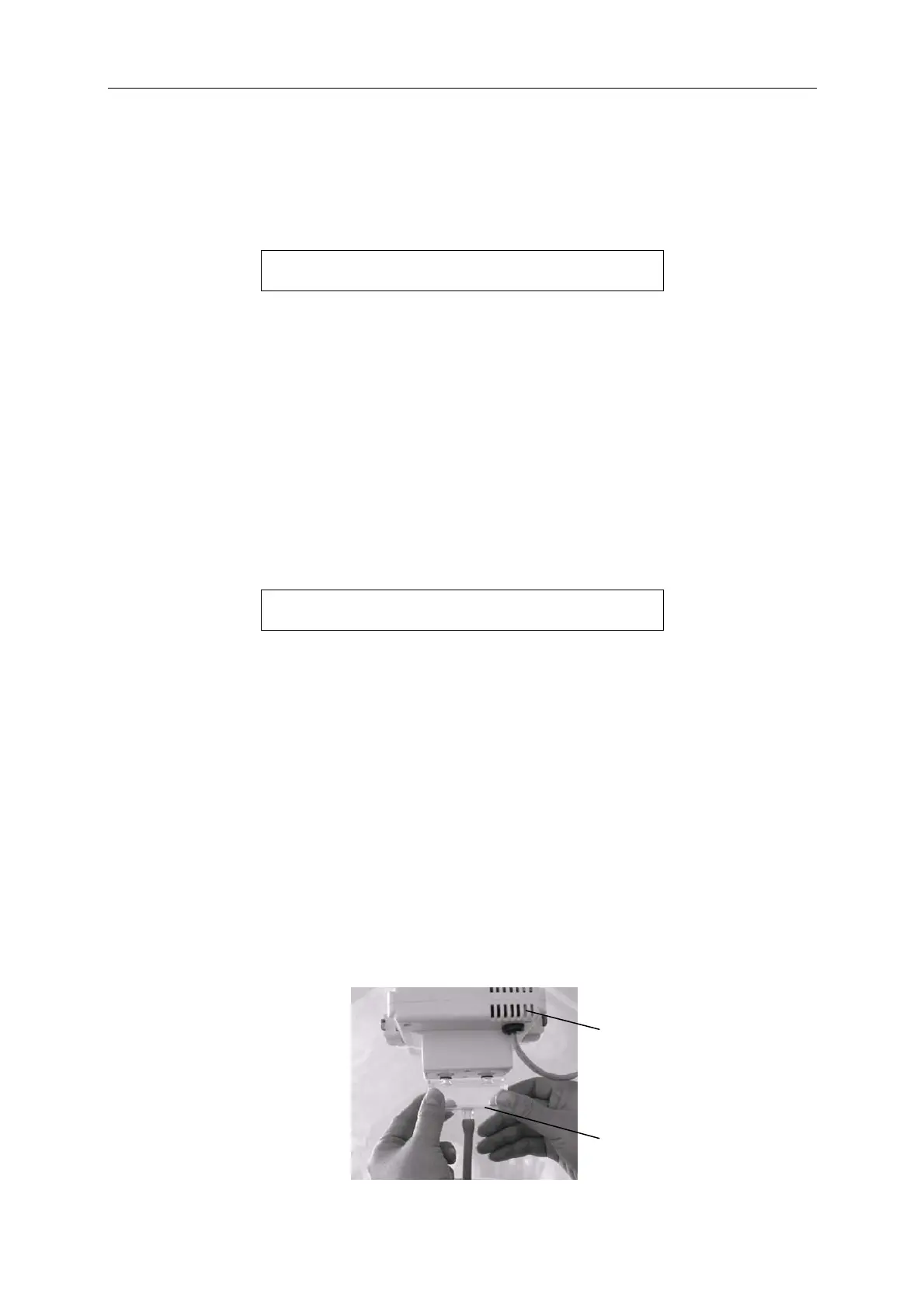
a. Turn off the controller, pull the sensor box out as figure 6.3 shows, connect the oxygen
calibration device which equiped with oxygen connecting pipe with sensor box, supplying the
100% oxygen and maintain for more than 2min.
b. Press the Oxygen Concentration Indication key and turn on the power switch of the
controller, the system will enter into Oxygen Concentration calibration interface and the Oxygen
Concentration indicator displays “CA”, press Set Up key or Set Down key untill the Set
Temperature indicator displays "100". Press the Keypad Lock key, system starts celibrating the
100% oxygen concentration automatically. If the calibration is correct, the Oxygen
Concentration indicator displays "99", if not, it displays "Er". When the displayed value is
incorrect, please calibrate the system again according to the steps listed above. If the displayed
value by the indicator is still incorrect, please ask the qualifyed service personnel to mend it.
Sensor box
Oxygen concentration
calibration device
FIGURE 6.3


 To Next Page