4-5
I4-1
OPERATOR’S MANUAL FOR INFANT INCUBATOR
EDITION/REVISION B/1
4.4 OPERATION CHECKOUT PROCEDURE
WARNING
1. Please stop using this model once some function losts or te spare parts for front access
panel is loose.
2. Set temperature must be high 3℃ than ambient temperature. And then you can proceed
this checkout procedure.
3. Please do not damage the VHA cabinet during moving. And lower the cabinet to the
lowest position before moving so that the incubator is stable.
Incubator should be only operated by trained personnel which knows familiar about the
general risk of operating the incubator and under the instructions of medical practitioner.
Please do the following checkout procedure each time before operation.
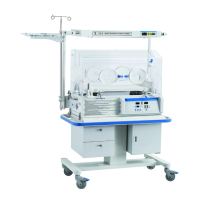
4.4.1 CHECK THE INTEGRITY OF INCUBATOR
z Make sure that the device has been sterilized;
z Make sure that the hood are locked firmly;
z Make sure that there is no crack or the sharp edge on the hood;
z Make sure that the I.V.Pole and shelf are locked firmly;
z Make sure that the tilt mechanism of bed can work properly ;
z Make sure that the needed accessories and other devices are available;
z Make sure that the power cord is connected and is safe.
z Make sure that the casters are installed well.
Check whether the caster can drop when lifting the incubator 2cm above the ground. The
drop of the caster will cause danger during transporting.
4.4.2 CHECK CONTROLLER
NOTE: Make sure that the power supply are compatible with the electrical specifications
lapelled on the incubator, For proper grounding reliability, connect the power cord
only to properly grounded 3-wire hospital-grade or hospital-use outlet. Do not use
extension cords.
A. START-UP THE CONTROLLER
Under the condition of power supplying, turn on the main power switch (if it is applicable) and
the power switch of the controller. The controller will briefly sounds like “Ding” as well as the
information indicator displays “system Test……”, that shows the controller is in the self-checking
mode which will last for 5sec. After the self-checking process finishing, the Set Temperature
indicator shines and displays the set temperature for latest time before the device is stop working,
the Keypad Lock indicator enlightened, Air Temperature indicator displays the real temperature
detected by the air sensor, the Skin Temperature indicator displays the real temperature
detected by the skin sensor1 and the Weight indicator displays the real weight detected by the
weighing sensor. If the indicator for humidity and oxygen concentration is off, it displays “OF”, if
they are on working, they display the real value detected by the humidity sensor and the oxygen
sensor separately, and Humidity Set indicator and Oxygen Concentration Set indicator display
the value. If something abnormal or the displayed numbers incomplete, the controller need to be
maintained.


 To Next Page