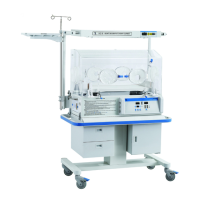
OPERATOR’S MANUAL FOR INFANT INCUBATOR EDITION/REVISION B/0
8-2
I4-1
8.3 FUNCTION DESCRIPTION
The weighing system own the function of celebration and reset. These operation can be
actualized by operating the Zero key and Calibration key on the controller board. The display
range of weighing system is 0~8000g, and its display distinguish rate is 1g, the display precision
is ±1%, and the reset range is 0~2000g.
8.4 OPERATION AND CELIBRATION PROCEDURES
NOTE:Apply the weight sensor celibration and operation procedure when first using the
incubator orreuse it after disassembly, clean, and maintain.
CELIBRATE THE WEIGHING SYSTEM
A. take out all articles on the bassinet and make sure the mattess is clean.
B. Zero. Press the Zero key, the weighing value displayed by Weight indicator should be in
the range of 0000g±5g, if not, please press the key again. If the reset value overs 0~2000g, after
pressing the key, the Weight indicator displays “Err” which mean the reset for the weighing
system failure.
C. Celibration. After reset the weighing system, please place standard poise of 5000g on the
center of the basinet and press the Calibration key for more than 10 seconds. After hearing the
sound like “Ding“, calibration is over. Then the Weight indicator should displays the value in the
range of 5000±5g, if not, please celibrate the weighing system again until the displayed value is in
the range of 5000±5g. If the displayed value cannot reach the standard value range, please ask
the qualifyed personnel to mend it.
CHECK THE CONNECTING CIRCUITRY OF THE WEIGHT SENSOR
If the connection between the weight sensor and the sensor modular failure, the Weight
indicator displays “Err”, when reconnect them, the indicator displays the actual weight weighing
by sensor.
8.5 OPERATION OF WEIGHING SYSTEM
After celibrating and reset the weighing system, lay the patient in, the Weight indicator will
display the patient’s weight by weight sensor.


 To Next Page