10
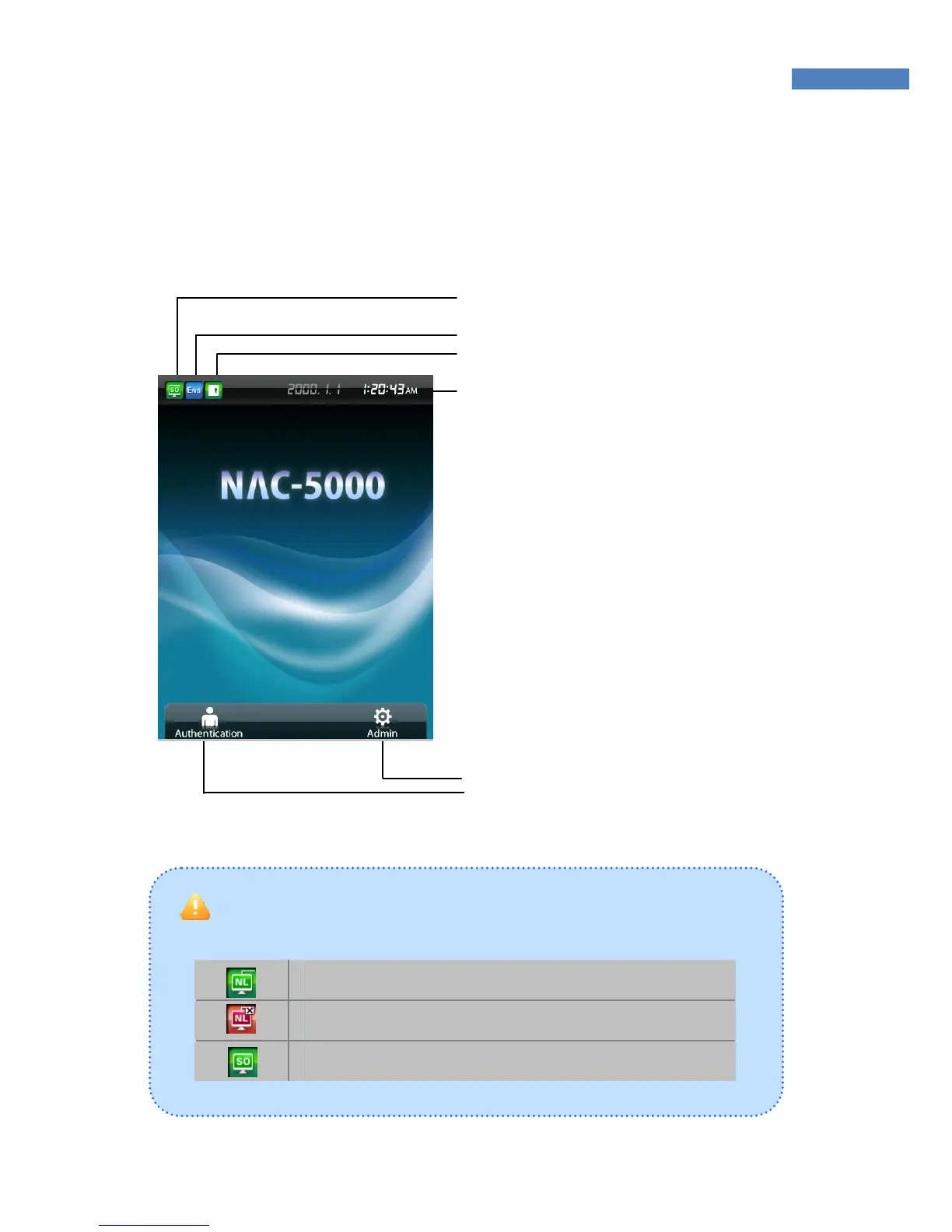
LCD Screen
The following symbols are displayed depending on the network
connection status and the mode.
Connected to the network in network mode.
Not connected to the network in network mode.
Stand-alone mode.
① Network connection status
② Language: Language used on the LCD
③ Door status: Displays whether door is open.
④ Time: Displays the present time.
⑤ Administrator Menu: Entrance Admini-
strator menu.
⑥ Authentication button: Authenticates
users before opening the door.



 To Next Page