38
Authentication Option Setting
Authentication options, sensor options, attendance mode, and card
use can be configured.
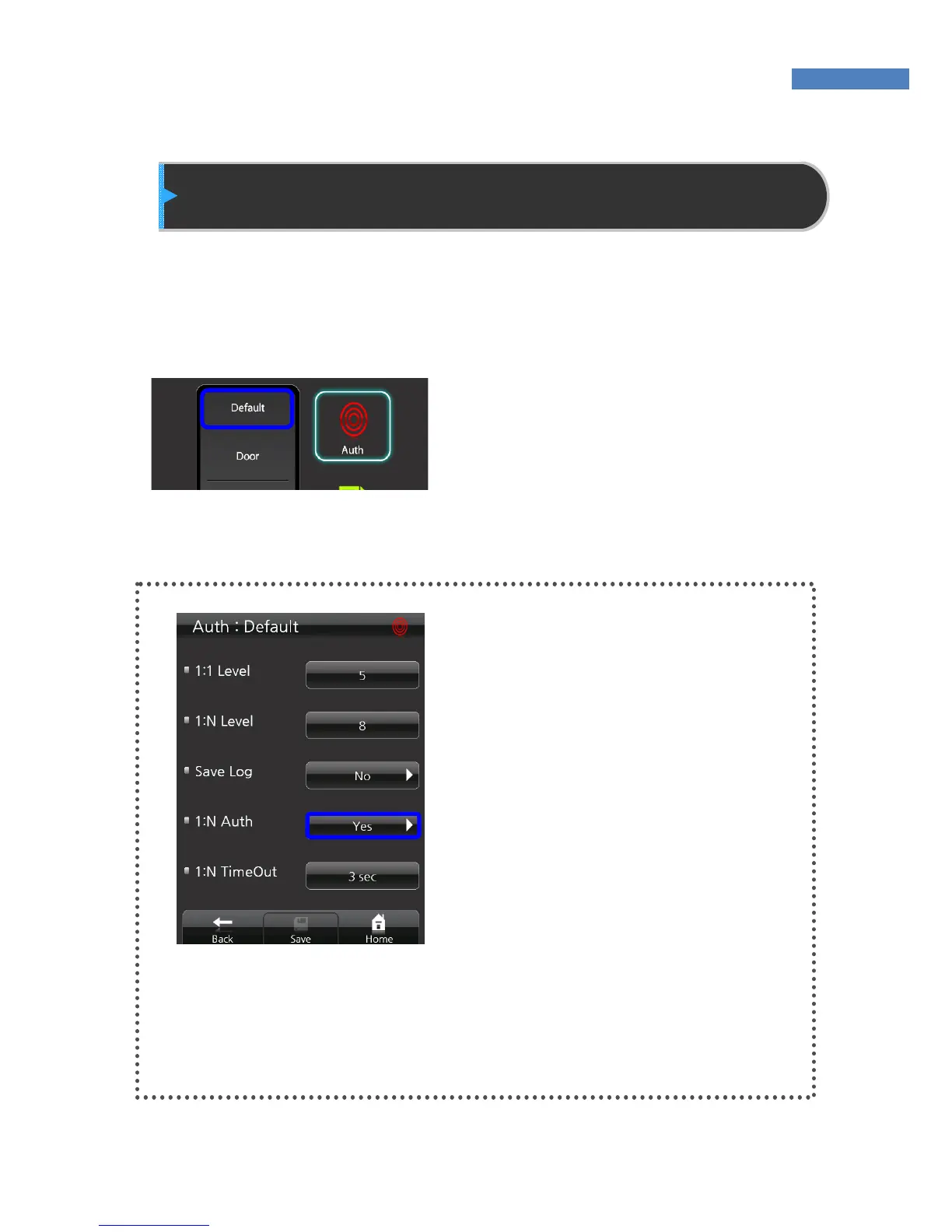
Default
In the basic authentication menu,
settings related to authentication
level, saving of logs, and the use of
1:N authentication can be configured.
Settings can be changed by pressing
“Authentication” -> “Default”.
Setting 1:1/1:N Authentication
Method
The NAC-5000 supports 1:1 and 1:N
authentication methods. In 1:1
authentication, an ID must be
inputted for authentication. In 1:N
authentication, user ID is not
entered, and authentication is done
by searching all users.
1:1 is recommended for fast authen-
tication, and 1:N authentication is
recommended to simplify the
authentication procedure.
To use 1:N authentication, select
1:N Authentication and change “No”
to “Yes.”



 To Next Page