9
Product Description
.
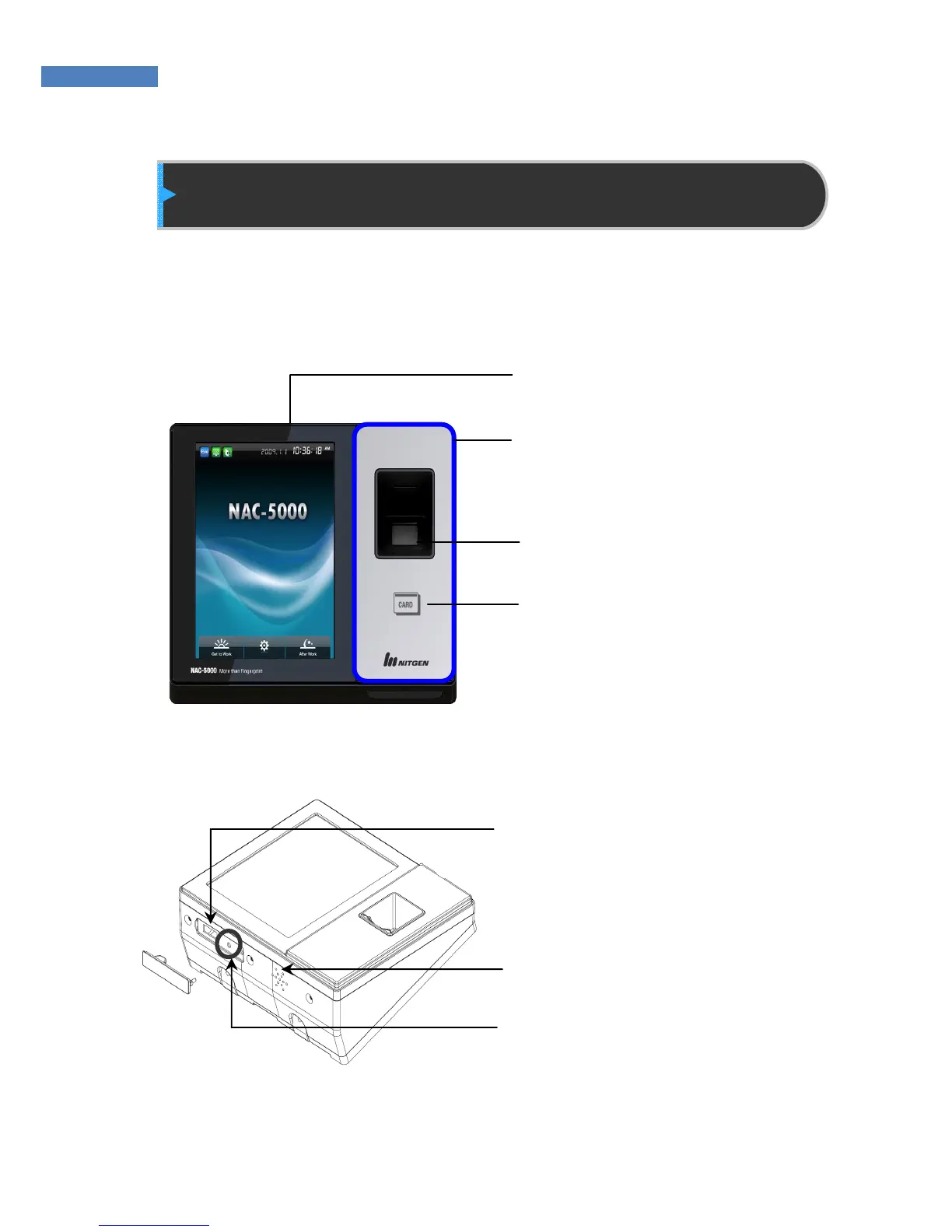
③ Fingerprint Input: The user places
his/her finger for authentication.
④ Card Input: The user places his/her card
for authentication.
⑥ Speakers: emits voice instructions,
alarms, and other sounds.
⑤ USB Input: USB memory
connection port
⑦ Reset button: Resets
the terminal.
② LED: If the terminal operates normally, the
LED will be blue.
① Touch Screen LCD: The user can
handle all inputs by touching.


 To Next Page