33
In stand-alone mode, all
operations including user registration
and authentication are done on the
terminal.
Network Setting
The NAC-5000 terminal can function either in network or stand-alone
mode. At present, only wired networks are supported but support for
wireless networks will soon be available.
Stand-alone Mode
In stand-alone mode, the administrator can use all functions of the
terminal without connecting to a network.
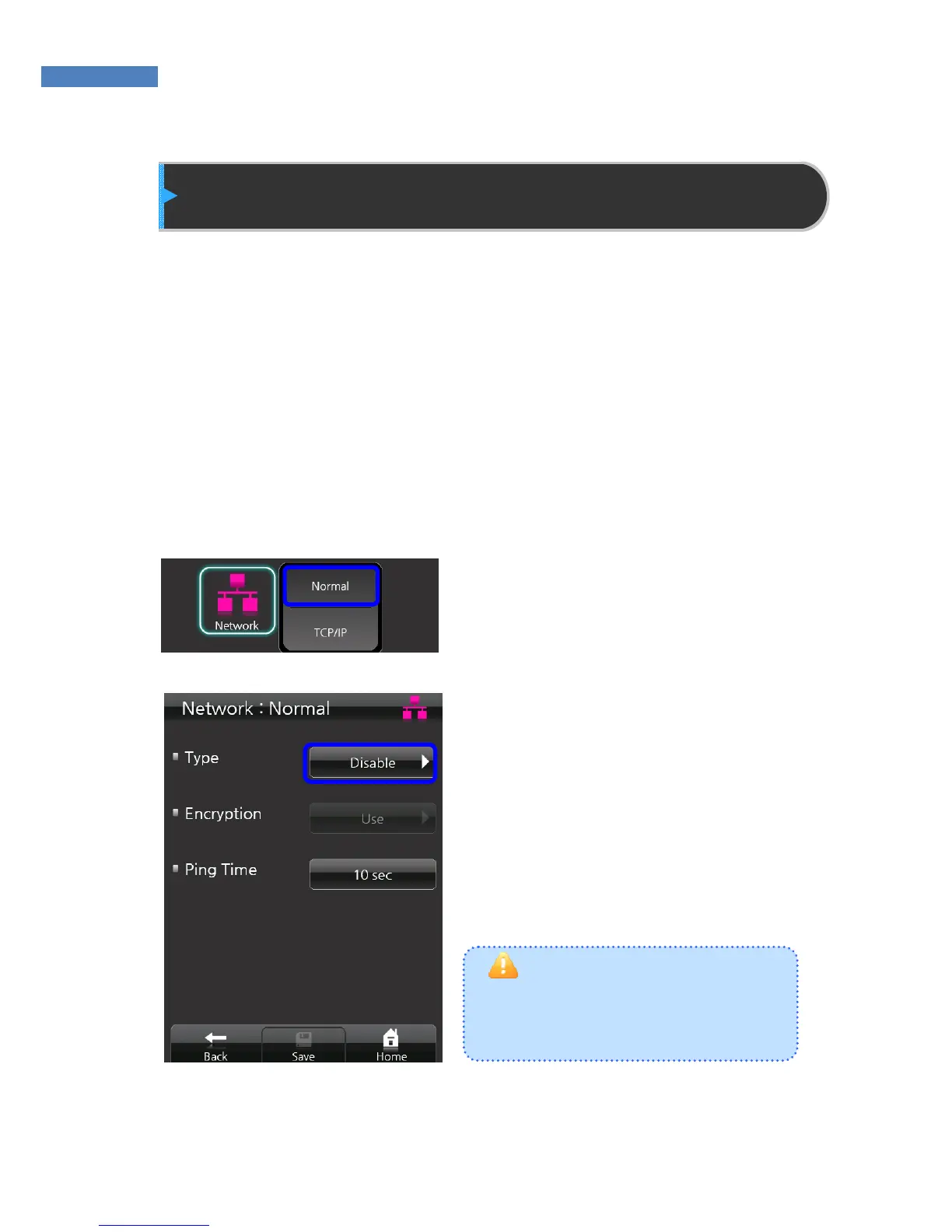
1. To use the terminal in
stand-alone mode, select
“Network” -> “Normal” and
“Network Setting”.
2. Press “Type” -> “Wired” and
“Disable”. Press “Save” at the
bottom of the screen to activate
stand-alone mode.



 To Next Page