13
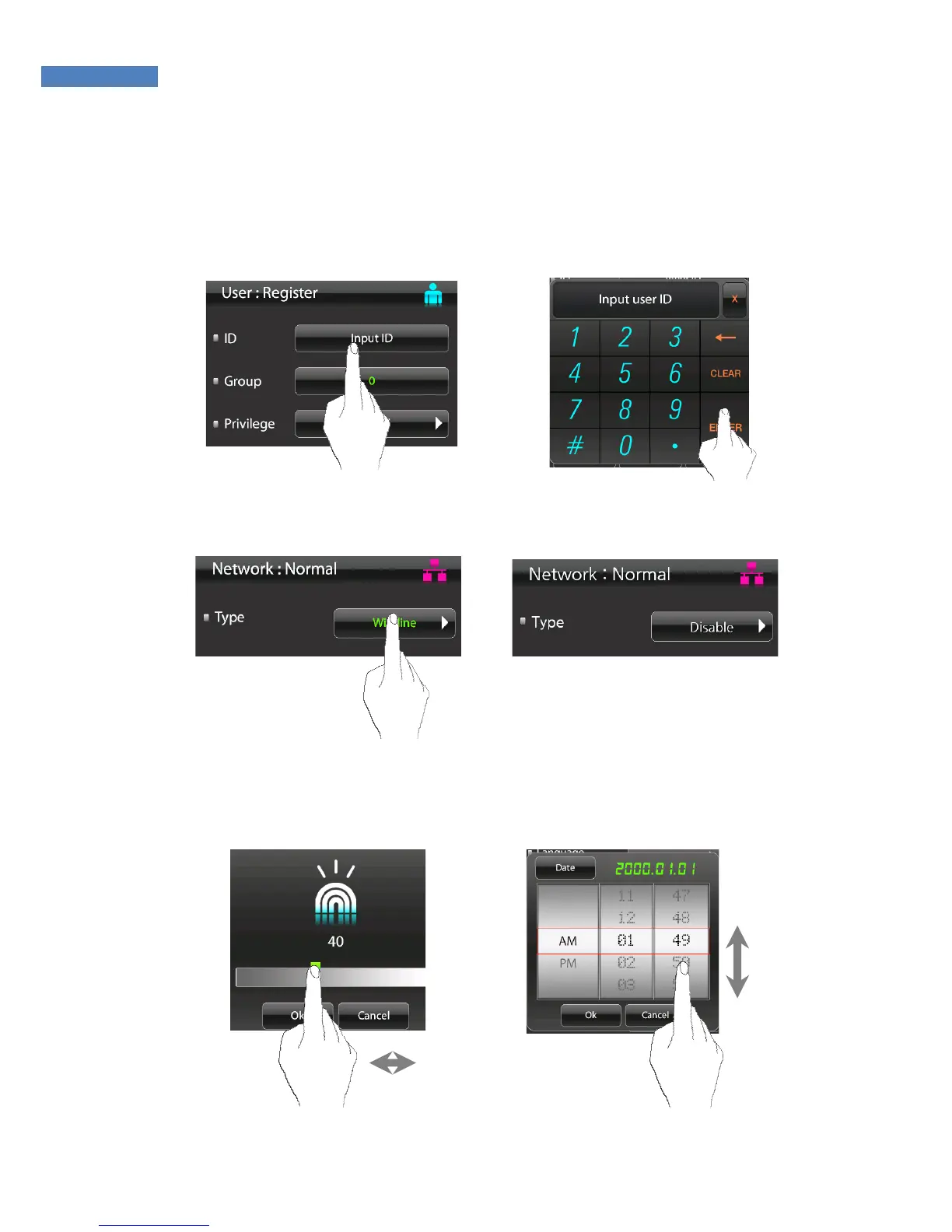
Touch Menu Setting
① To directly enter values in the Adminstrator menu, press the
Input ID button, enter the data, and press the “Enter” button.
② If the default setting is already displayed, enter the new value
to change it.
③ To change options such as sensor brightness, sound volume,
or the date, press the arrows or numbers and move the finger
up and down or left and right.



 To Next Page