28
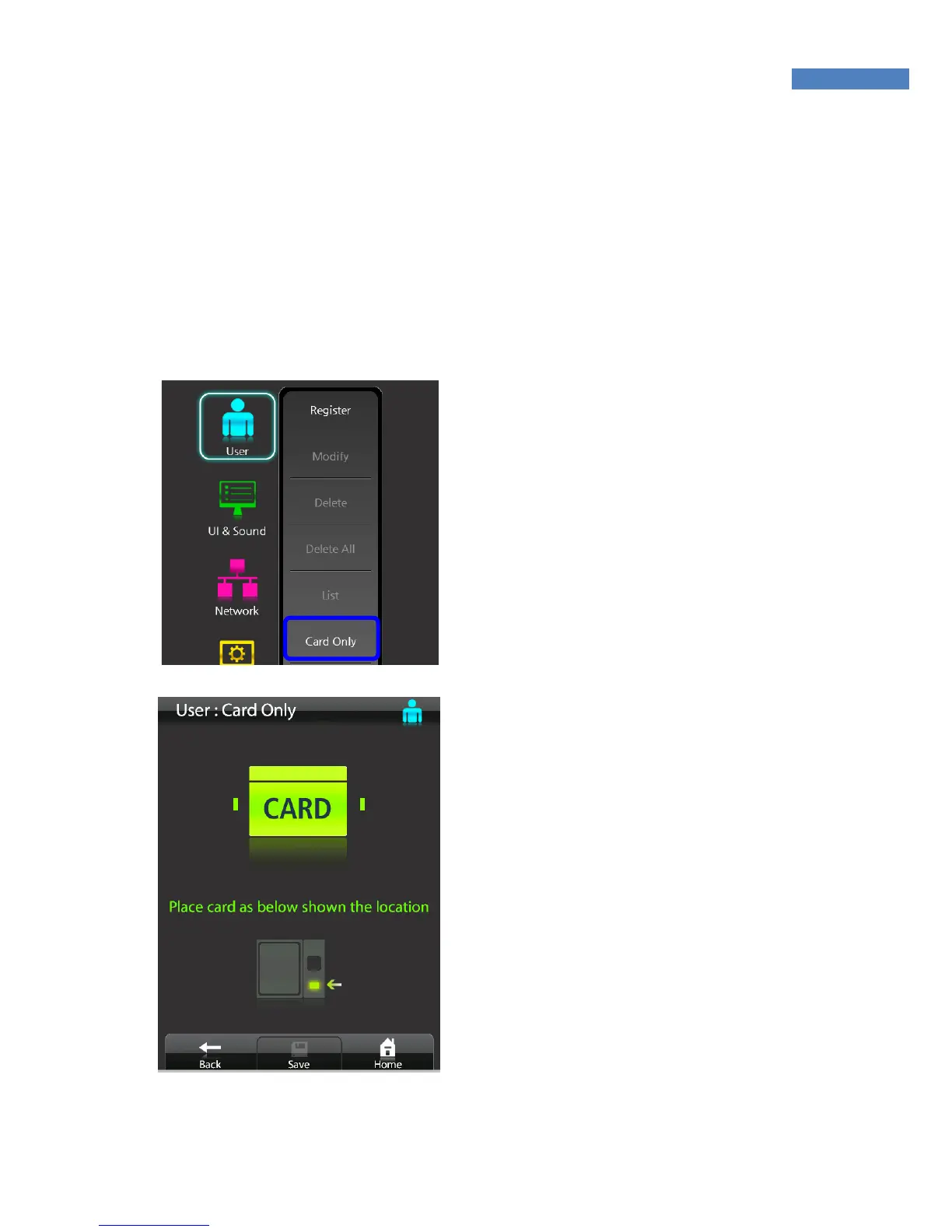
Card-only User Registration
The NAC-5000 allows door access to be controlled only by card
authentication, and not fingerprints or passwords. The card-only
feature is provided for the operator in order to conveniently register
users. At present, the card-only feature can be used in the network
mode only and will be soon available in the stand-alone mode.
1. Select User -> Card Only. A
“Place the card” message will
appear.
2. Place the card on the card
scanner. A card ID will auto-
matically be created and user
registration will be completed.
3. To authenticate with the
registered card, place with
card on the card reader
without entering an ID.



 To Next Page