40
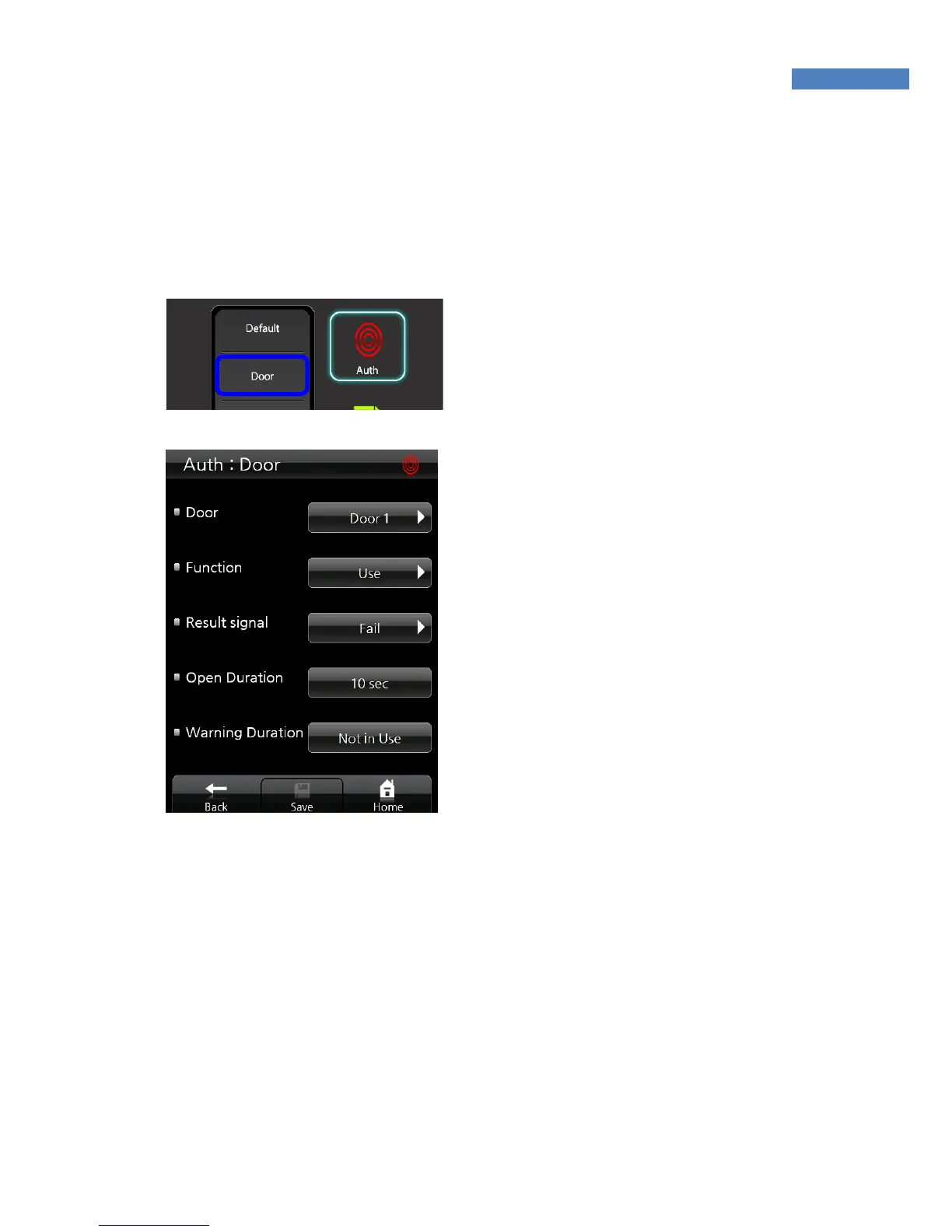
Door
Using this function, you can control two doors or control devices
such as fire alarms or lighting.
1. Select “Auth->Door “ to
control the doors and
devices such as fire alarms
or lighting.
2. Select the “Door1” or
“Door2” which you want to
configure.
3. Set the function to “Use” .
It means the Door1 will be
controlled by this terminal.
If you install the other
devices such as fire alarm
or light alarm, select the
device corressponding with
installed devices.
4. Select the “Fail” or
“Success” in “Results
signal”. The doors and
lighting only will be
controlled by selected
result signal. If you select
the “Success”, the door will
opened or light alert will
flashed when
authentication succeed.
5. Enter the open duration time between 5 and 20 to set the
opening door time or alert time of the lighting. (Duration time not
supports the fire alarm)



 To Next Page