46 / 76 ♦ BKI16ATEX0018X ♦ htk4014a0600p_03
Input table
Point Level Volume
1 0.0 m 0.0 m³
2 0.20 m 0.5 m³
3 0.75 m 1.0 m³
4 1.00 m 1.5 m³
5 5.60 m 16.8 m³
* Max. level = tank height – dead zone = 6000 mm – 400 mm or 19.69 ft – 1.31 ft
= 5600 mm or 18.37 ft, equivalent to a volume of 16.80 m³ or 593.3 ft³
Note:
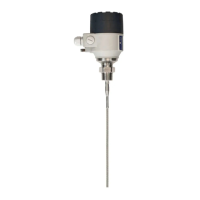
The level can effectively be measured between 200 mm or 8” and 5600 mm or 18½ ft. When the product level drops below the tip of the probe, the MicroTREK 2-wire
will indicate that there is still remains of 200 mm or 8”. Accordingly, the MicroTREK 2-wire can only indicate a level between 200 mm or 8” and 5600 mm or 18½ ft,
since it only measures along the probes. The size of the dead zone depends on the installation and on the probe type.
Supplementary procedure for setting the 4 … 20 mA current to output volume readings (using PCSTAR 2)
Step Action Data entered/value selected
1 Go to user function 1.3.1 ”Current 1 item” to select measurement function. Volume
2 Go to user function 1.3.2 ”Current 1 range” to set fault status 4 … 20 mA
3 Go to user function 1.3.3 “Scale I1 min” to enter volume value for the minimum output (4 mA) 0.50 m³
4 Go to user function 1.3.3 “Scale I1 max” to enter volume value for the maximum output (20 mA) 16.80 m³
5 Either save the new configuration to disk by left-clicking on
F5-Save to disk and download it onto the MicroTREK 2-wire using the F6-Send to MicroTrek key.
n/a
6 Press F3 to exit the configuration menu. n/a


 To Next Page