BKI16ATEX0018X ♦ htk4014a0600p_03 ♦ 49 / 76
5.2.3 MANUAL PROGRAMMING
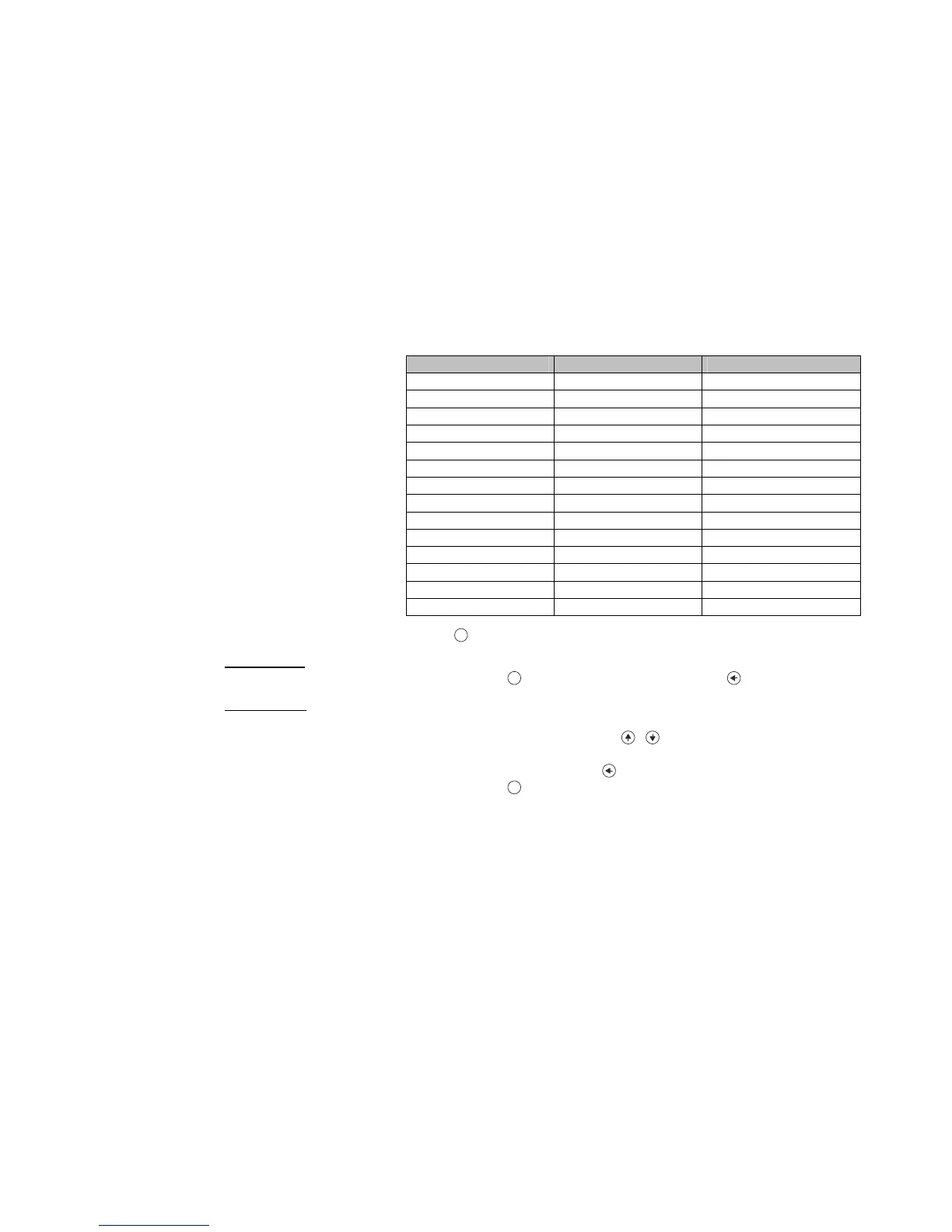
Main menu Sub-menu PCSTAR 2 param. ID
BASIC SETUP
TANK HEIGHT 1.1.1
DEAD ZONE 1.1.2
CLOSE-END BLOCKING 1.5.1
DAMPING TIME 1.1.3
PROBE LENGTH 1.1.6
OUTPUT SETUP
CURRENT MODE 1.3.1
FAILURE CURRENT 1.3.2
CURRENT MIN 1.3.3
CURRENT MAX 1.3.4
ERROR DELAY 1.3.5
APPLICATION
The menu structure is similar to the PCStar2 parameter
structure.
APPLICATION TYPE
Changing parameters can be done by selecting a sub-menu and pressing
E
button in two ways:
Text-based list:
Navigation is the same as in menu lists.
Accept changes with
E
button, cancel changes (and exit) with button.
Numerical field:
Serves for editing a numeric value.
Editing is helped by a cursor (inverted character).
Change the value of the selected digit with
/
buttons
(there is no under-, and overflow between the characters).
Selecting a digit can be done using the
button.
Accept changes with
E
button.
After accepting the parameter change the Microtrek checks the parameter and downloads it.
If parameter is incorrect the CHECK/WRITE FAILED! message appears.


 To Next Page