EasyManua.ls Logo

NIVELCO MicroTREK - User Manual

NIVELCO MicroTREK
76 pages
Print Icon
To Next Page IconTo Next Page
Loading...
BKI16ATEX0018X htk4014a0600p_03 1 / 76
Manufacturer:
H-1043 Budapest, Dugonics u. 11.
Tel.: (36-1) 889-0100 Fax: (36-1) 889-0200
E-mail: @nivelco.com www.nivelco.com
NIVELCO Process Control Co.
sales
MicroTREK
HT HH HB/HP; Ex // //HB/HP HT HH
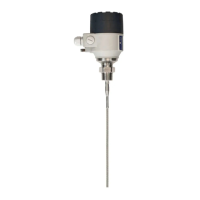
two-wire guided microwave level transmitters

Questions and Answers

  • K
    Kelly LongAug 20, 2025
    What to do if NIVELCO MicroTREK 2-wire Transmitter indicates an incorrect level value?
    • R
      ritaroseAug 20, 2025
      If the NIVELCO MicroTREK 2-wire Transmitter shows an incorrect level, there might be a non-valid reflection. Check the tank for any obstructions and make sure the probe is clean. If the indicated level is near the nozzle, try increasing the detection delay and dead zone by the same ratio. Alternatively, if the full measurement range is needed, increase the threshold level. Use the PC STAR 2 oscilloscope function to visualize and analyze the application, adjusting the threshold level to mask disturbances while ensuring sufficient margin for level pulse detection. Large pulses may indicate the probe touching the nozzle or tank side; ensure no contact is possible.
  • B
    Barbara ChandlerAug 22, 2025
    Why is my NIVELCO MicroTREK Transmitter not accurate with high dielectric constant products?
    • E
      Eddie HowellAug 22, 2025
      If the NIVELCO Transmitter isn't accurate with products that have a high dielectric constant and shows a constant offset, the tank height might not be correct. Check the current output and tank height parameters. If the signal converter was replaced, ensure the factory calibration parameters are still the same. If needed, request the factory calibration sheet from NIVELCO and the password to access the factory menu.
  • M
    martinrebeccaAug 25, 2025
    Why is the current output value less than 4 mA on my NIVELCO MicroTREK Transmitter?
    • A
      andrewandersonAug 25, 2025
      A current output value less than 4 mA on your NIVELCO Transmitter can be due to several reasons: * No power supply: Check the power supply. * Incorrect device connection: Verify the connection between the device and the power supply. * Incorrect current output calibration: If you have authorized access, execute the calibration; otherwise, contact the NIVELCO Service Center.
  • T
    Tabitha SmithAug 26, 2025
    What to do if the current output value doesn't match the display value on NIVELCO Transmitter?
    • A
      alexandersantosAug 26, 2025
      If the value at the current output on your NIVELCO Transmitter does not correspond to the value on the display (PC STAR 2 or HART® communicator), the current output settings may be incorrect. Check the current loop and connections. Configure the output and try adjusting the threshold using the Dynamic Configuration function (PCSTAR 2).
  • S
    sarah88Aug 27, 2025
    How to troubleshoot inaccurate readings on NIVELCO MicroTREK with multiple phases in the tank?
    • D
      Dalton MerrittAug 27, 2025
      If your NIVELCO Transmitter is inaccurate when there are two or more phases in the tank, it might be incorrectly configured for this type of application, potentially measuring the interface instead of the level. Check that the Application Type is set to “2 liquids, 1 level”. Also, ensure there is a layer of more than 100 mm of top product above the bottom product.
  • A
    Andrea RobinsonAug 29, 2025
    Why does my NIVELCO Transmitter read 22 mA?
    • M
      Mary EsparzaAug 29, 2025
      A reading of 22 mA on your NIVELCO Transmitter indicates that an error has occurred, assuming the range 4-20 mA / error 22 mA is selected. Check the device's status by selecting the marker window or accessing the status menu of the HART® communicator. Alternatively, the device might be in its start-up phase; wait 50 seconds. If the current value drops to a value between 4 and 20 mA, and immediately returns to 22 mA, contact your NIVELCO Service Centre.
  • B
    Brian DavisAug 31, 2025
    What does 'Level lost' mean on my NIVELCO MicroTREK?
    • B
      Brittany MartinAug 31, 2025
      The “Level lost” status marker on a NIVELCO Transmitter indicates that the instrument has lost the level signal and hasn't found the return pulse. This can happen if the pulse strength has fallen below the threshold or if parasite signals from the flange or obstructions in the tank are interfering with the correct signal. Ensure the tank is emptied below the maximum level and then check the measurement. If the signal remains undetected, manually adjust the control threshold using the oscilloscope and dynamic configuration windows in PCSTAR 2.
  • G
    George RogersSep 2, 2025
    Why is data communication not working with my NIVELCO MicroTREK 2-wire Transmitter?
    • R
      Robert TravisSep 2, 2025
      If data communication via the digital interface is not working with your NIVELCO MicroTREK 2-wire Transmitter, first ensure the device is not in its start-up phase by waiting 50 seconds and trying again. If the issue persists, check the computer settings (address/device number) to ensure they are correct. Also, verify the connection to the interface is secure.
  • M
    Marie GravesSep 4, 2025
    What to do if NIVELCO MicroTREK Transmitter shows 'Tank full' and 'Level lost'?
    • P
      pgriffinSep 4, 2025
      If the NIVELCO Transmitter displays both “Tank full” and “Level lost” status markers with a frozen reading, empty the tank below the top measurement range limit and then check the measurement.
  • M
    Michael WhiteSep 6, 2025
    What causes 'Level lost' and 'Reference not found' on NIVELCO Transmitter?
    • S
      stephaniebensonSep 6, 2025
      If the NIVELCO Transmitter displays both “Level lost” and “Reference not found” status markers with a frozen reading, the probe may have received an electrostatic discharge. The gauge will attempt to find the level again and resume readings. If the reading remains frozen, the signal converter may have been damaged by ESD and might need replacement.

Summary

1. INTRODUCTION

Application

Describes the device's purpose and applications for level measurement.

Operating principle

Explains the Time Domain Reflectometry (TDR) measurement principle.

2. ORDER CODE

3. TECHNICAL DATA

3.1 ACCESSORIES

Lists optional items and accessories supplied with or available for the instrument.

3.2 SAFETY REGULATIONS FOR THE EX APPROVED UNITS

Outlines essential safety requirements for operating Ex-approved units.

3.3 MAINTENANCE AND REPAIR

Covers guidelines for routine upkeep and procedures for instrument repair.

SPECIAL DATA FOR EX CERTIFIED MODELS

TECHNICAL DATA OF THE PROBES

4. MECHANICAL INSTALLATION

4.1 HANDLING AND STORAGE

Provides guidelines for safely handling and storing the device, including weight and fragility warnings.

4.2 MOUNTING ON THE TANK

Instructions for installing the gauge onto a tank, covering process connections and nozzle considerations.

4.3 WIRING

Details the electrical connection procedures for the device in non-Ex and hazardous environments.

4.4 POWER-ON AND START-UP

Describes the initial power-up sequence, startup time, and pre-configuration.

4.5 AVAILABLE USER INTERFACES

Lists the instruments and accessories used for programming the MicroTREK device.

5. PROGRAMMING

5.1 PROGRAMMING WITH PCSTAR 2 SOFTWARE

Guide to installing and using the PCSTAR 2 software for device configuration and data display.

5.2 PROGRAMMING WITH SAP-300 DISPLAY UNIT

Instructions for programming using the SAP-300 plug-in LCD display unit.

5.3 PROGRAMMING WITH HART HANDHELD (HHC) COMMUNICATOR

Guide to programming using a HART Handheld Communicator, including layout and wiring.

5.4 MICROTREK 2-WIRE T.D.R. METER CHARACTERISTICS

Explains the meter's characteristics, signal trends, and measurement scale configurations.

5.5 TROUBLESHOOTING

Provides solutions for common error messages, faults, and operational issues with the MicroTREK device.

5.6 APPENDIX 1 - SET-UP PARAMETERS OF MICROTREK H-400 SERIES IN MULTICONT CONTROLLER

NIVELCO MicroTREK Specifications

General IconGeneral
Process fittingThreaded or Flanged
Process temperature-40°C to +80°C
Output4-20 mA, HART
Housing materialAluminium or Stainless Steel
ProtectionIP68
Ambient Temperature-40°C to +70°C
Process ConnectionG 1½", 1½" NPT, Flange
Measuring PrincipleTime Domain Reflectometry (TDR)

Related product manuals